








This Django appointment booking workflow is built for a service business that needs more than a form with a calendar attached. It guides a customer from choosing a service to confirming a time, address, distance, price, and consent, while keeping the important decisions reliable on the server.
The result is a booking experience that feels calm for the customer and useful for the owner. It connects Google address and route checks, kilometre-based pricing, discounts, availability, follow-up reminders, and a protected Django Admin in one focused feature.
A booking journey that feels easy
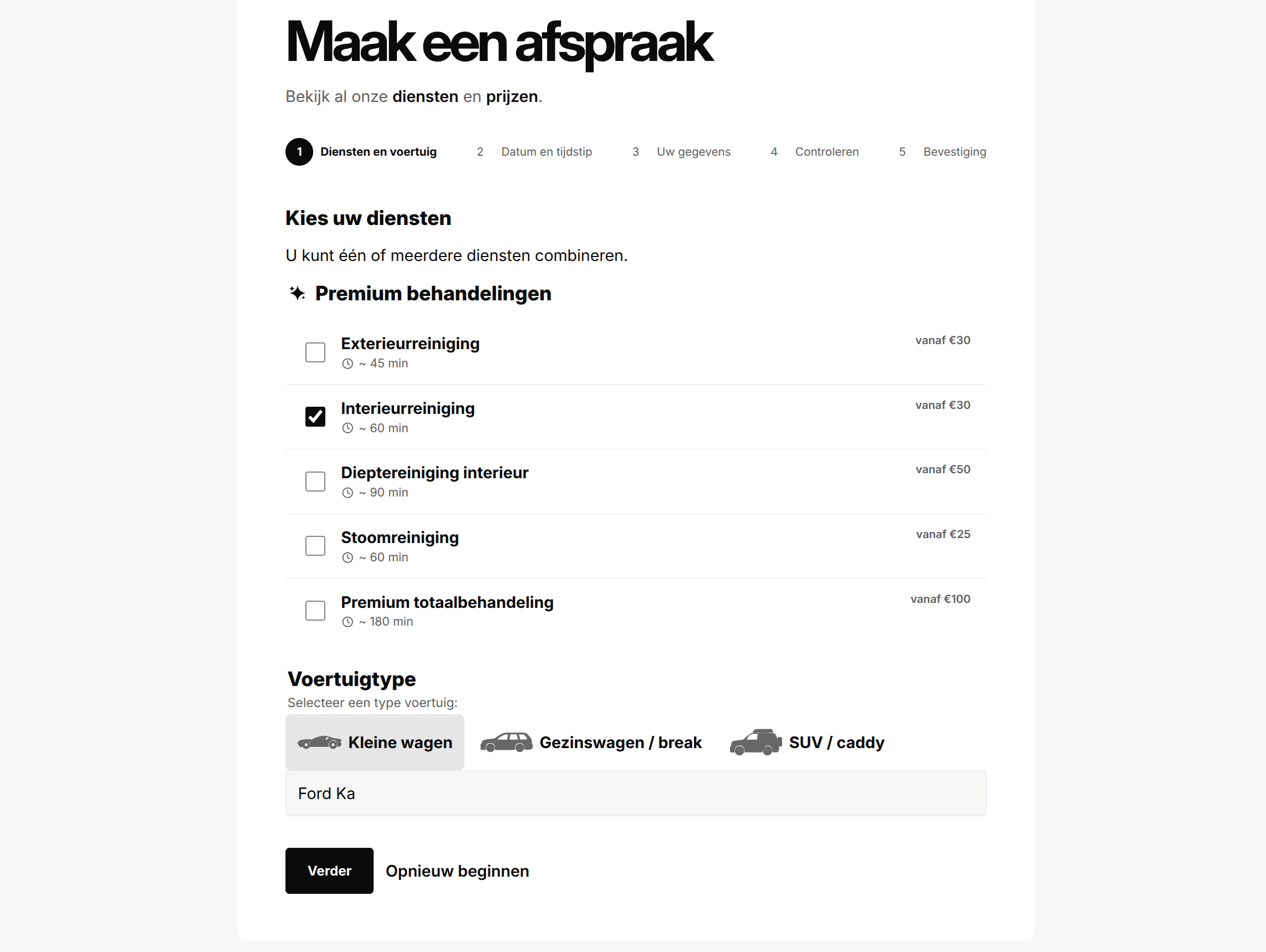
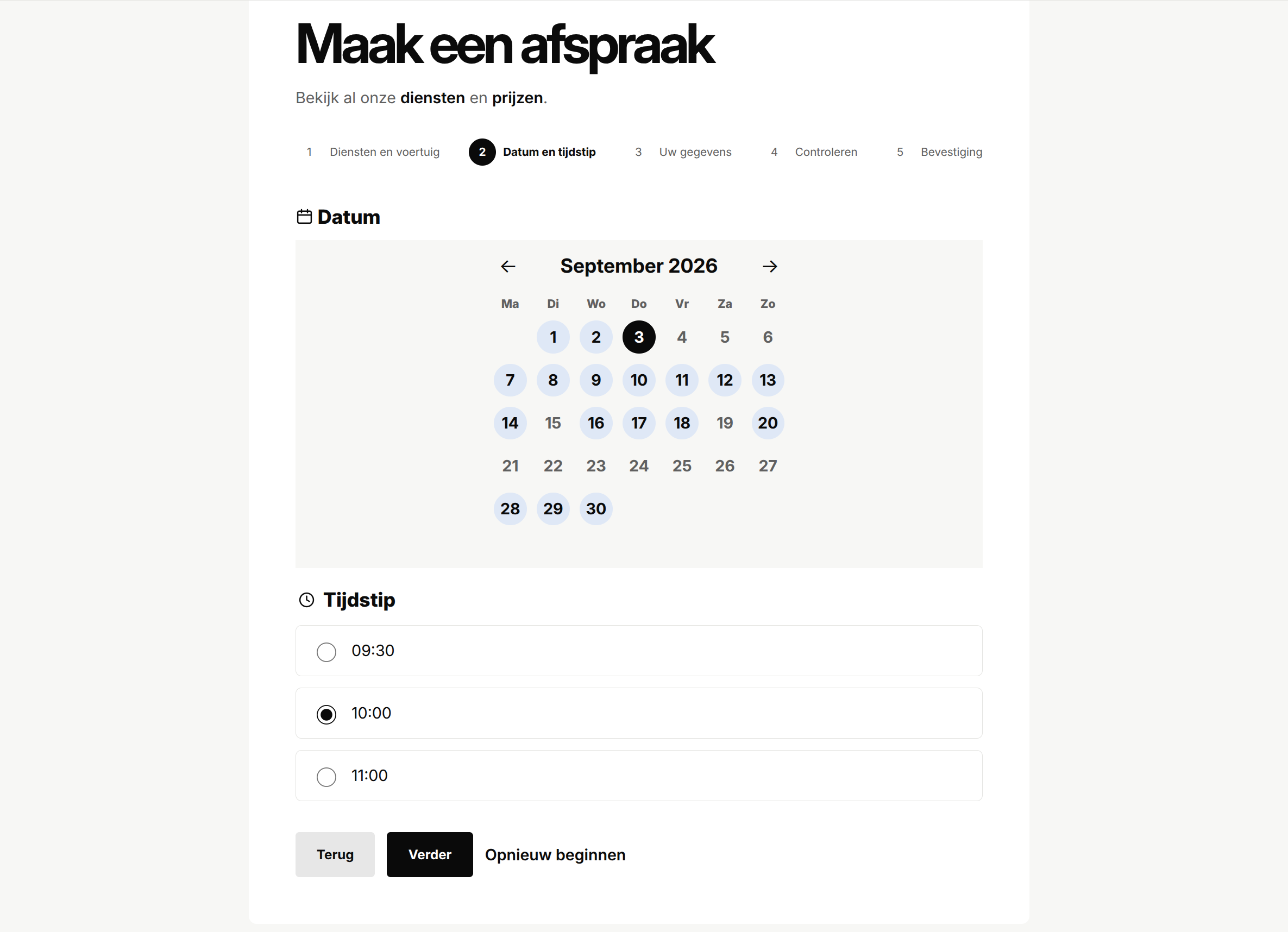
The public flow is deliberately split into short steps: services and vehicle, date and time, customer details, review, and confirmation. A visible progress indicator makes the next action obvious, and each completed step redirects to a fresh page so refreshing the browser does not accidentally submit the same form again.
That sounds simple, but the small details are where the quality shows. Going back keeps valid information. Changing an earlier answer clears only the later choices that depend on it. Errors link back to the right fields. Optional extras stay unavailable until a main service has been selected. The whole journey is responsive, touch-friendly, and available in light and dark themes.
Google does more than autocomplete an address
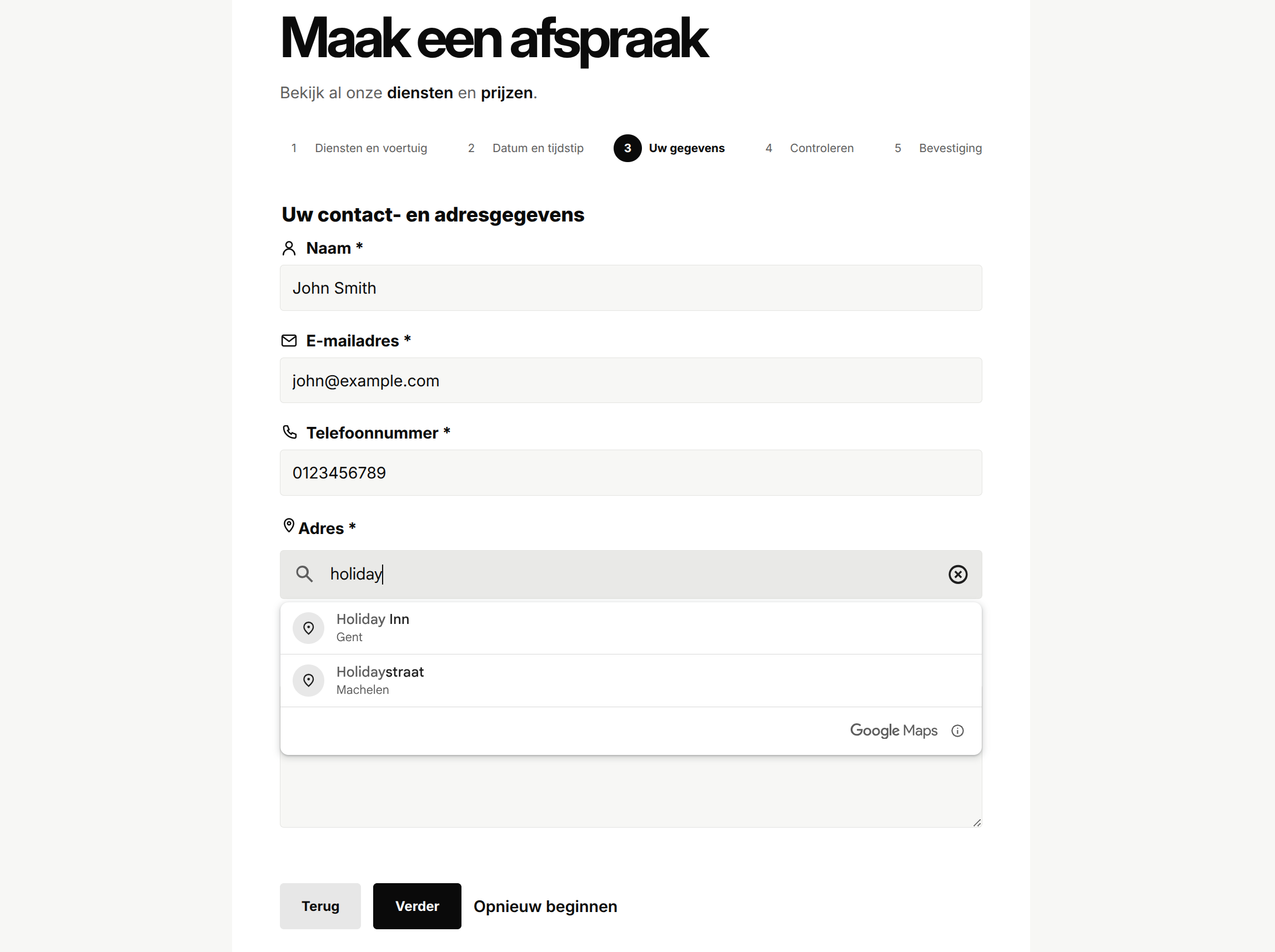
The Google integration is one of the parts I’m happiest with because it solves a real business problem. The customer can search for a complete address using Google Places, but the browser’s display text is never treated as the final truth.
The server requests the place details again, checks that it is a usable street address, and then asks Google Routes for the driving distance from the business’s fixed starting point. The one-way result becomes the complete round trip exactly once. That gives the pricing flow a dependable distance to work with, instead of trusting kilometres posted by a browser.
The integration also handles the less visible cases: incomplete addresses, stale route results, provider timeouts, unavailable routes, API limits, and configuration mistakes. Each one stops the flow safely and gives the customer a clear fallback to the contact page. Browser and server API keys are separate, with different restrictions and no public Django proxy exposing the provider requests.
The price is built around the real journey
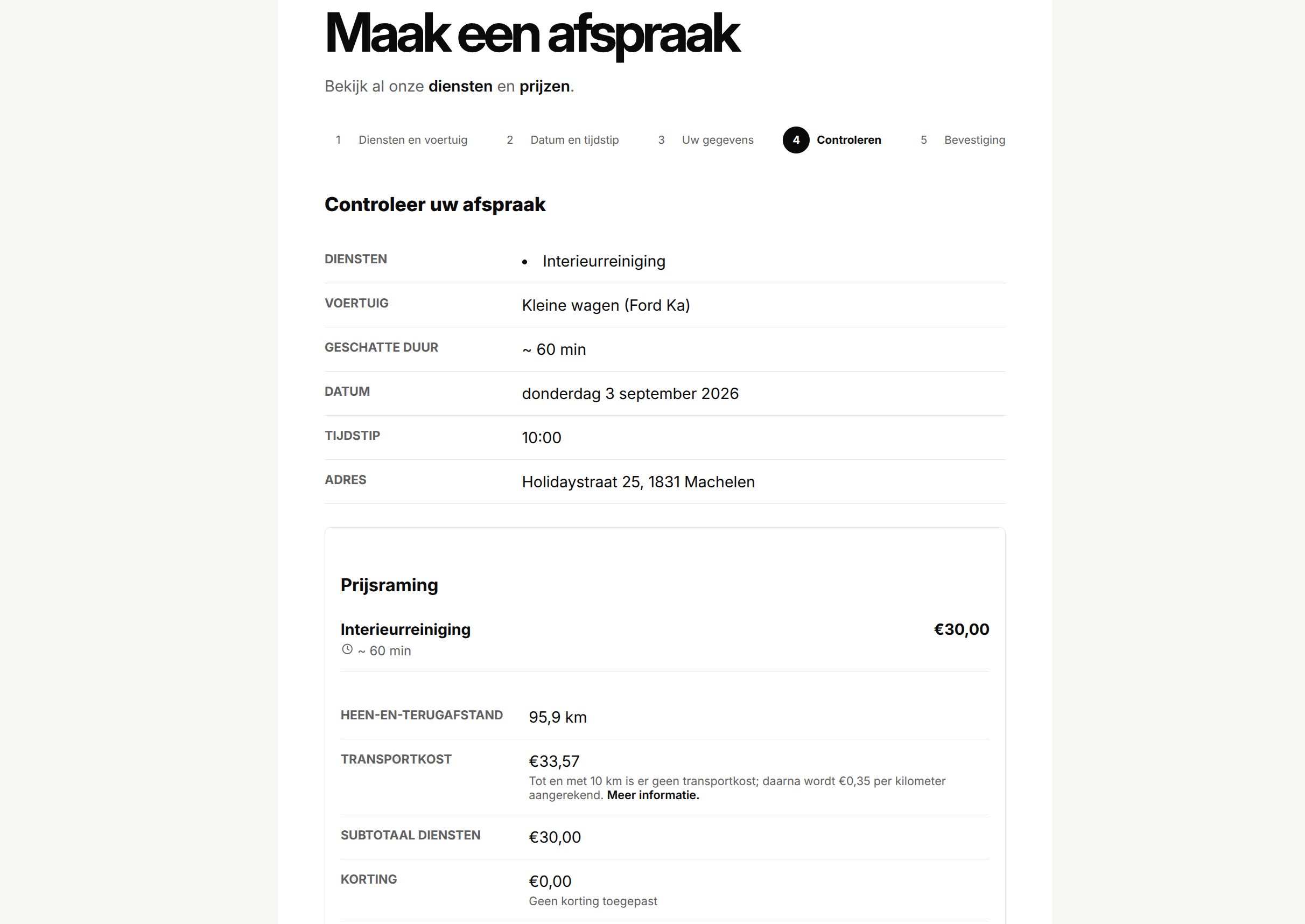
The quote combines the selected services with the actual round-trip distance. Up to and including 10 kilometres is free. Beyond that, the travel fee is €0.35 per kilometre, calculated from the precise stored distance before the currency amount is rounded.
The review screen brings everything together: services, durations, vehicle, date, start time, address, distance, travel fee, discount, estimated total, and the price disclaimer. Discounts can be automatic or entered manually, but they never stack. If the route or discount changes during the final check, the customer sees the updated estimate and confirms it again.
That last re-check matters. A browser can display a quote, but it should not be able to decide what gets saved. The server recalculates the services, availability, route, discount, and total before creating the appointment.
Good customer experiences need good owner tools
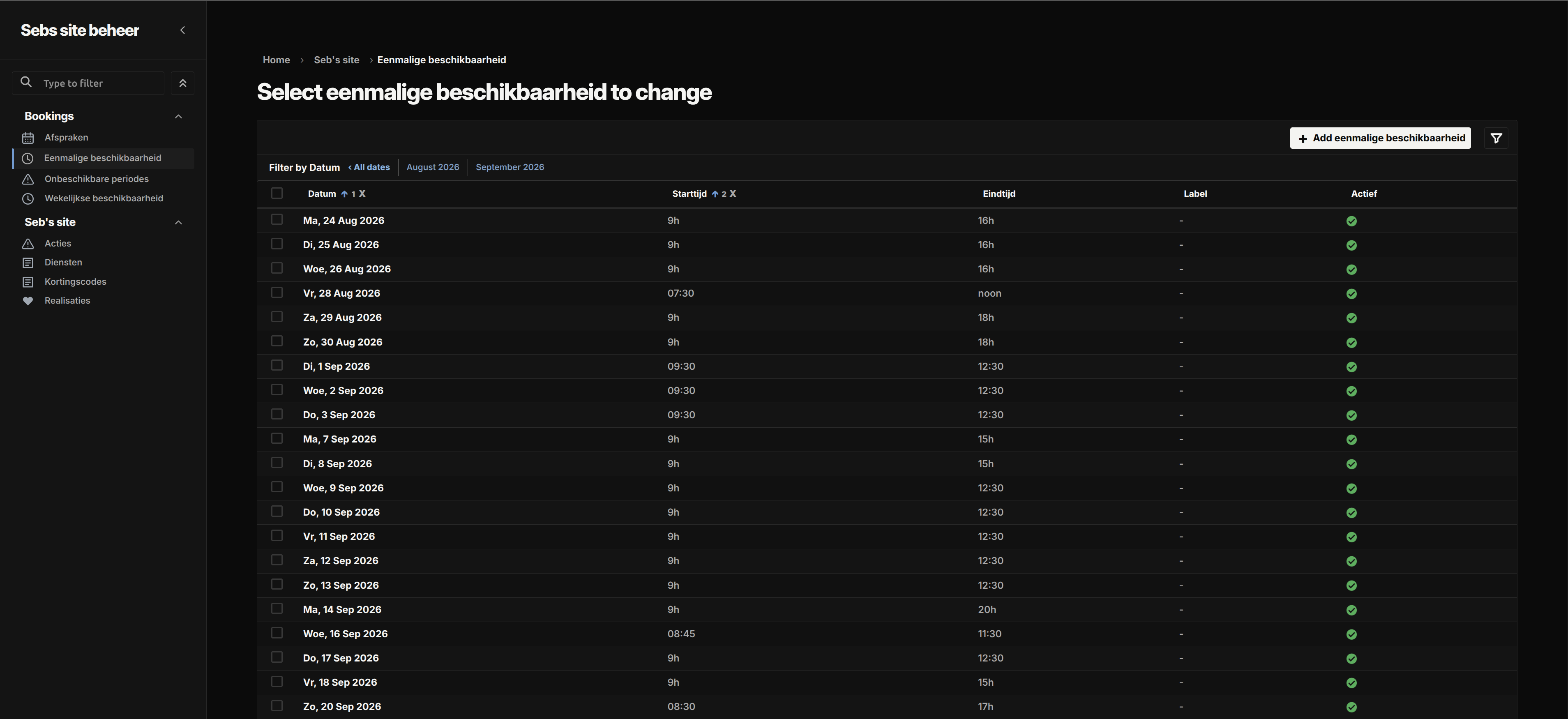
The feature is not finished when the customer clicks confirm. The owner gets a dedicated Django Admin for weekly availability, one-off changes, closures, cancellations, rescheduling, follow-up reminders, and photo-consent records.
It is intentionally separate from the general Admin. Access requires the right staff account, owner group, dedicated host, and one-time-password verification. Appointment details are read-only apart from controlled consent actions, while cancellation and rescheduling use explicit workflows with their own permission checks.
Owner notifications are queued once and retried separately. A temporary mail problem should not create a second appointment, so the feature tracks notification state and uses idempotent queueing. Follow-up reminders are for the owner rather than automatic customer emails, leaving the host project in control of its communication policy.
The details that make the feature dependable
Underneath the friendly screens, the workflow is careful about the moments that can go wrong. It handles Europe/Brussels daylight-saving changes, blocks overlapping appointments, locks the relevant schedule records during confirmation, prevents duplicate submissions, and stores an unchanging snapshot of what the customer booked.
Booking pages are private and no-indexed. Personal details do not appear in URLs or metadata, responses are not cached, and provider errors do not leak credentials or raw responses. Consent is stored with its exact wording and history, so later website changes do not rewrite what someone agreed to at the time.
The showcase includes 136 focused Django test functions covering models, forms, constraints, migrations, pricing, Google requests, stale routes, booking steps, duplicate submissions, privacy headers, Admin permissions, scheduling, consent, queueing, retries, and more. The feature still leaves the host project responsible for its own services, email worker, retention policy, deployment, and Google credentials. That boundary keeps it installable and adaptable instead of pretending to be a complete business platform.
If you want to see the project overview and full feature list, visit the Django Appointments project page. The public repository includes the installable feature, reference frontend, migrations, tests, documentation, and host-integration examples.