
Tweet Clear
Tweet Clear helps you preview and remove old X posts, replies, and retweets from an official data export without uploading your archive.
What it does
Tweet Clear is a small browser-console tool that helps you clean up an X profile from an official data export. It gives you more control over old posts, replies, and retweets without handing your archive or account credentials to another service.
Preview before deletion
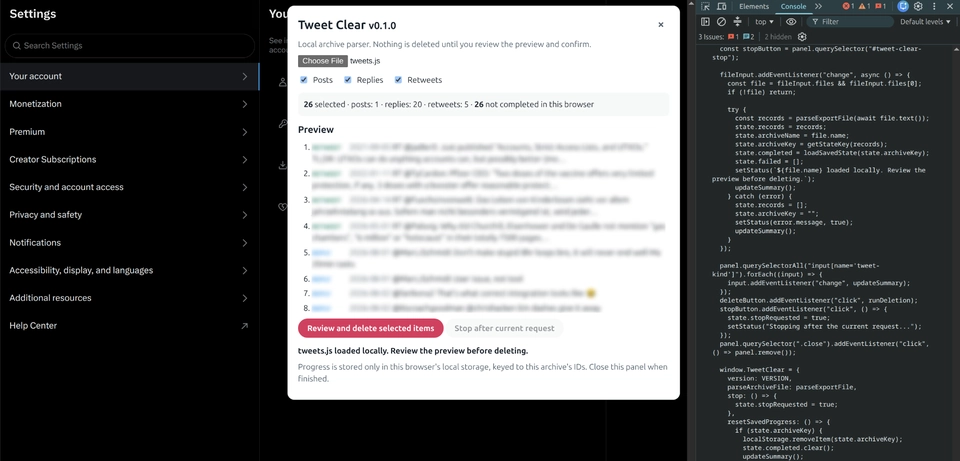
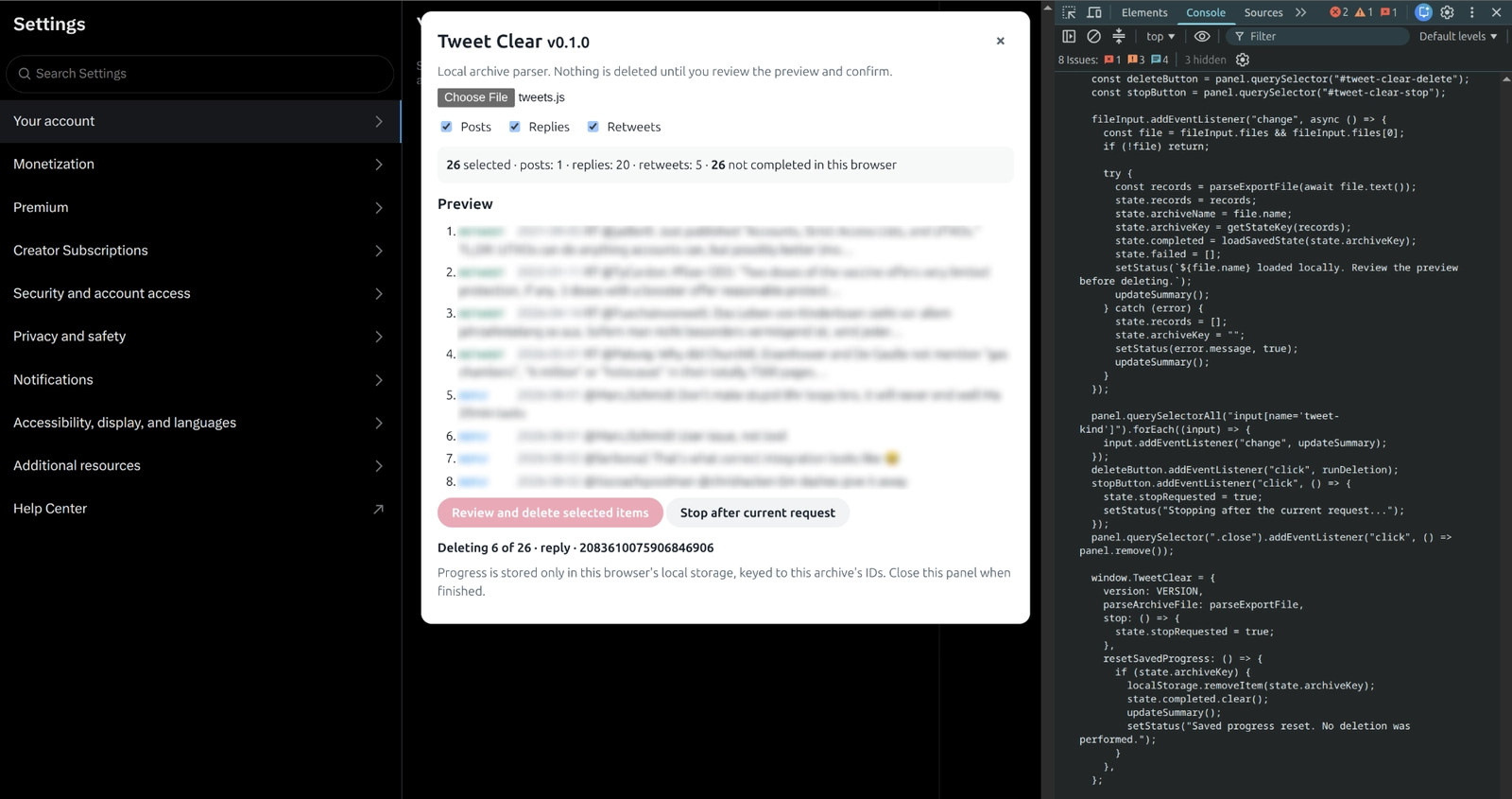
The workflow starts with a preview, so you can check what will happen before anything is deleted:
- Load the archive's
archive/data/tweets.jsfile locally while logged intox.com. - Review the counts, sample items, and categories you want to clear.
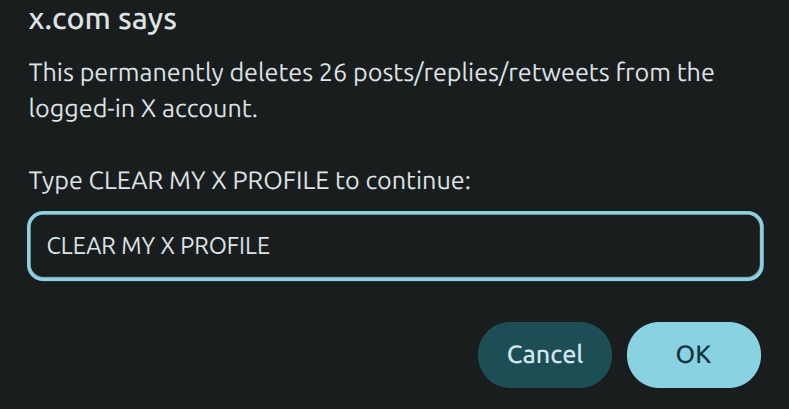
- Start deletion with a separate action and an exact confirmation phrase.
Built for long or interrupted runs
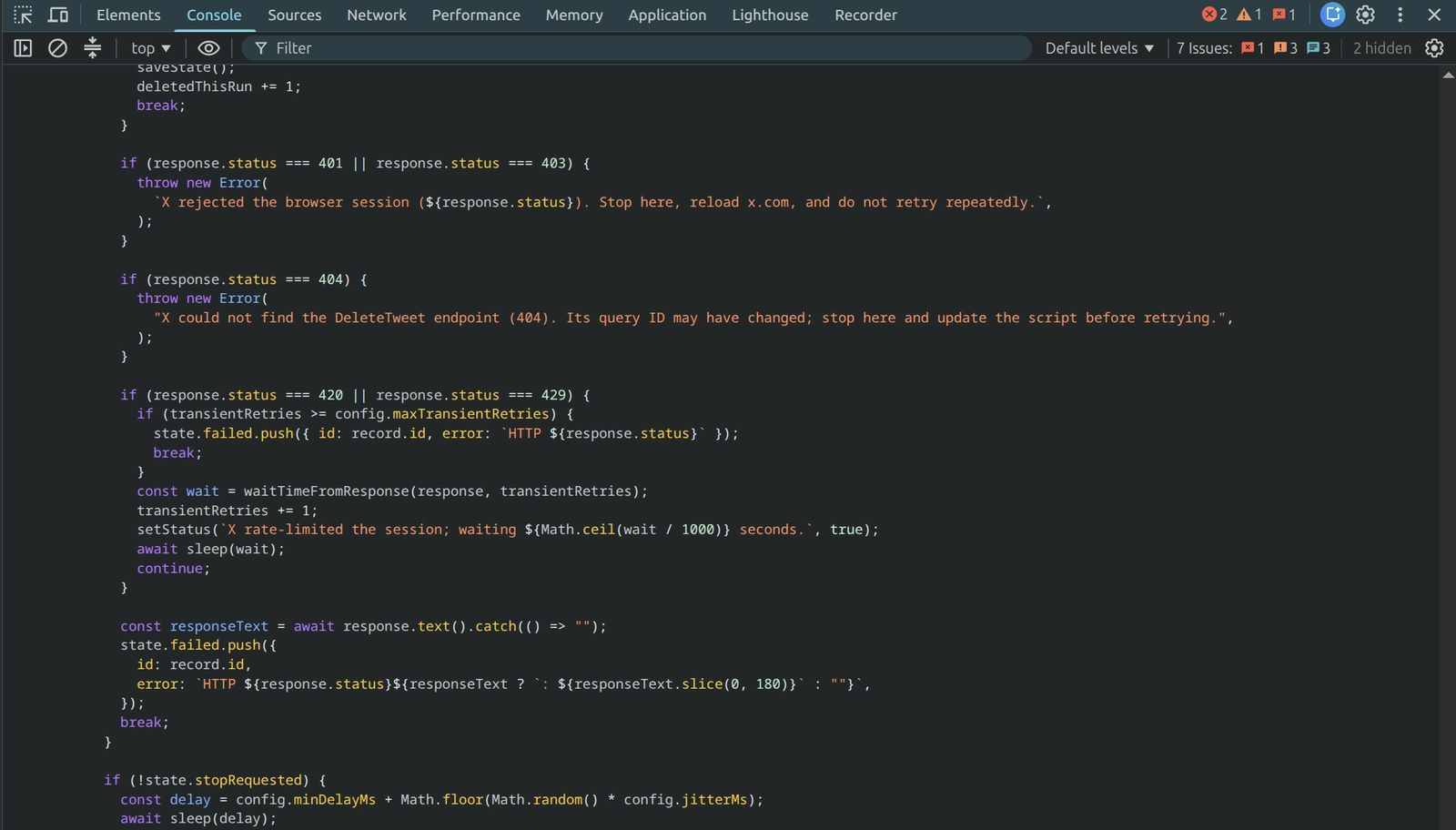
Long runs are easier to manage because the script processes the oldest items first and pauses between requests. It waits and retries when X rate-limits the session, while session or endpoint errors stop the run instead of triggering repeated requests. You can also stop after the current request and continue later because completed IDs are stored in that browser's local storage.
A deliberately narrow scope
I kept the scope intentionally narrow. The archive stays in the browser, and the tool uses the existing authenticated X session instead of requiring a developer account. It handles posts, replies, and retweets, while likes, bookmarks, follows, direct messages, and profile data remain untouched.
Want to use it yourself? Follow the step-by-step Tweet Clear guide to prepare your archive, preview the cleanup, and run it carefully.
Tweet Clear gallery
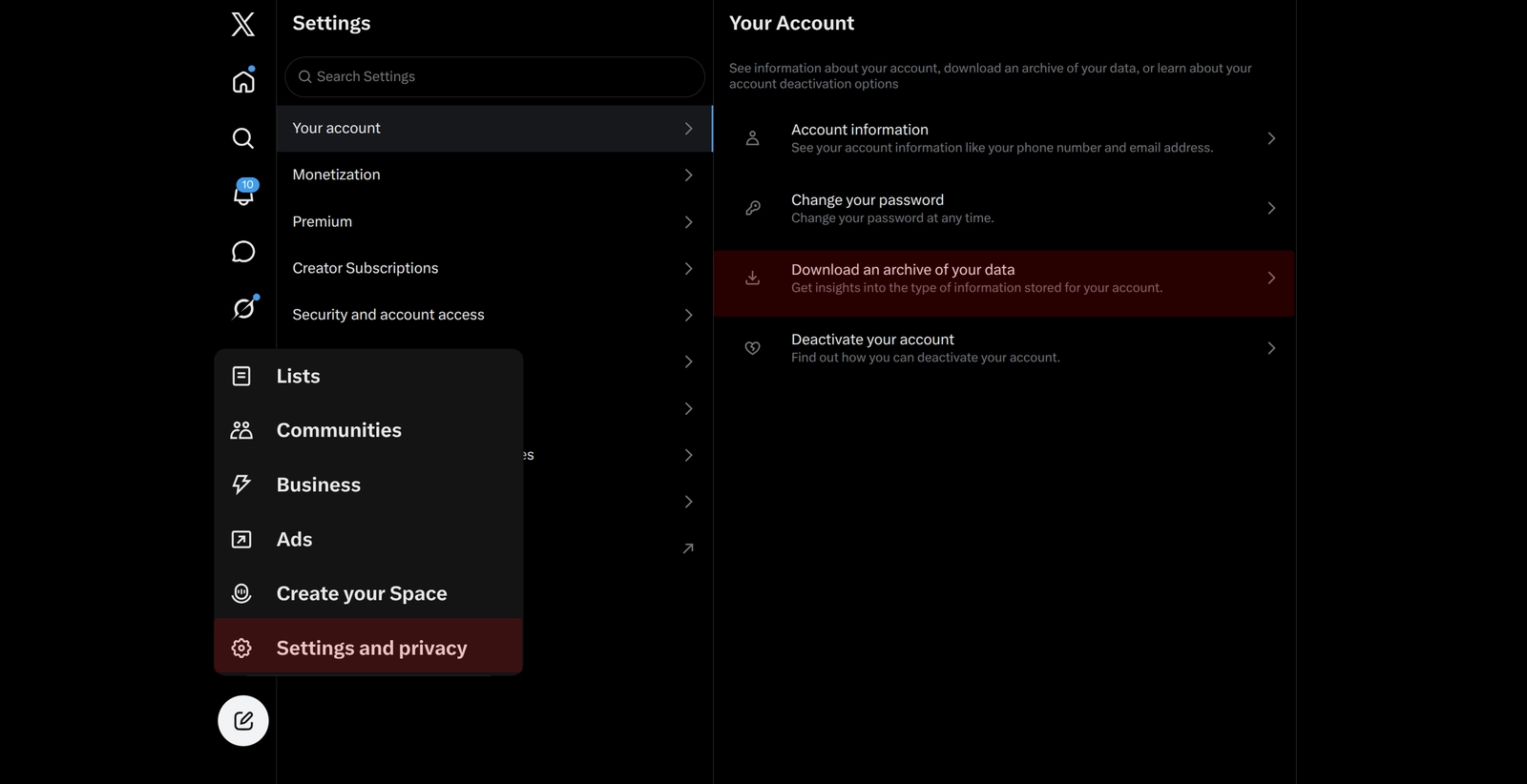
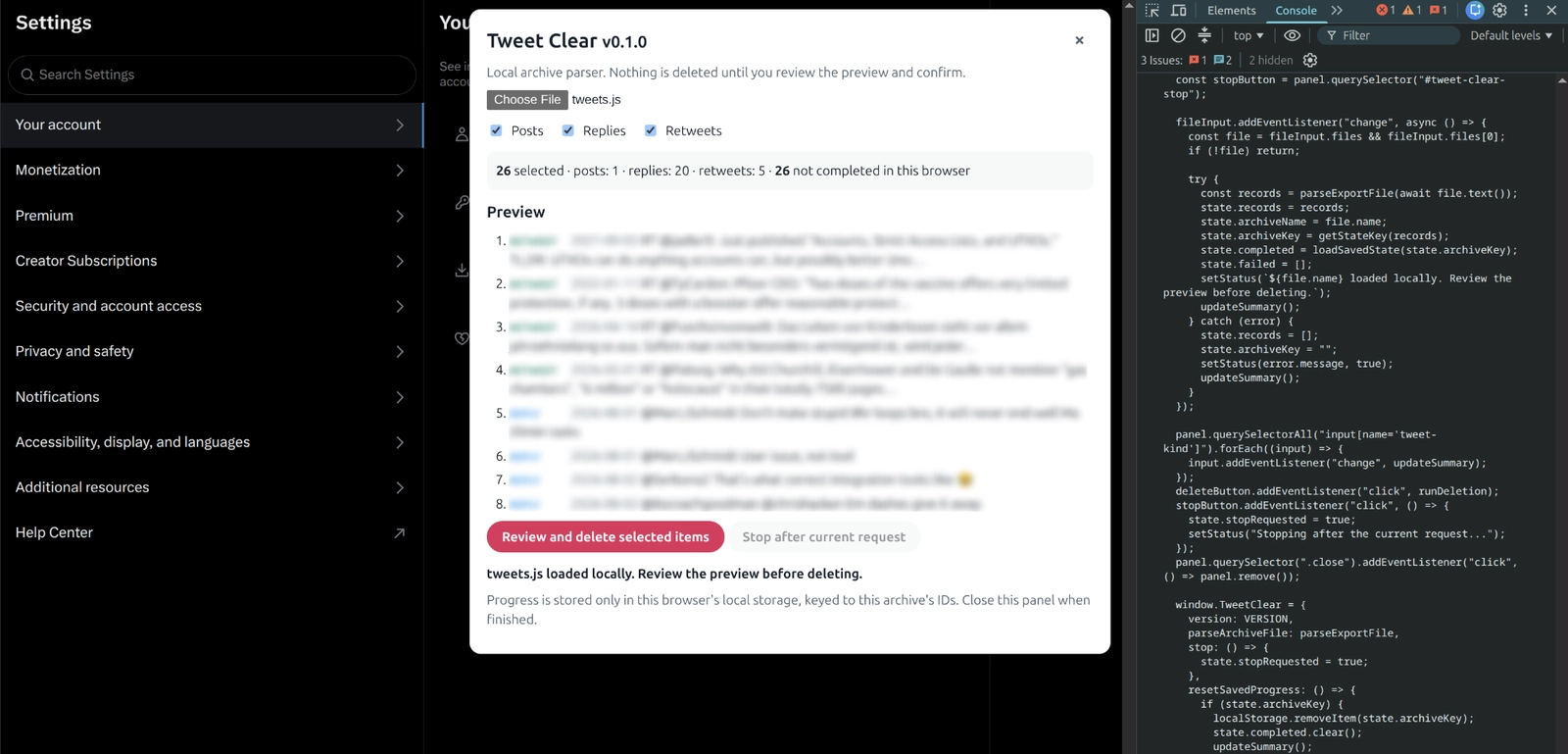
Follow Tweet Clear from downloading your X archive and running the script in Chrome DevTools to previewing selected items, confirming permanent deletion, and monitoring progress.
Open gallery 5 images
Project information
- Category
- Apps
Built with
- JavaScript

View full feature list
Archive-based cleanup
- Works from an official X data export instead of requiring an X developer account.
- Loads the selected archive file locally in the browser.
- Uses
archive/data/tweets.jsas the normal input file. - Supports the current
window.YTD.tweets.part0 = [...]archive format. - Accepts older JSON-like export entries containing
tweet.id_strortweet.tweet_id. - Rejects invalid archive input when it does not contain an array or usable tweet IDs.
- Deduplicates tweet IDs before processing.
Preview and selection
- Adds a browser panel to the current
x.compage. - Shows the number of selected items and the number not completed in the current browser.
- Separates items into posts, replies, and retweets.
- Selects posts, replies, and retweets by default.
- Lets the user include or exclude each category independently.
- Shows a preview of sample items with their category, date, and text.
- Treats quote posts as ordinary posts.
- Makes archive selection read-only until the user starts a separate deletion action.
Deliberate deletion controls
- Requires the user to click Review and delete selected items after reviewing the preview.
- Shows the number of items that will be deleted in the confirmation prompt.
- Requires the exact confirmation phrase
CLEAR MY X PROFILE. - Cancels without deleting anything when the confirmation is not exact.
- Processes records from oldest to newest to make a partial run easier to understand.
- Sends deletion requests through the authenticated X web session on the current page.
- Uses pacing between successful requests instead of sending a rapid burst.
Rate-limit and error handling
- Detects temporary 420 and 429 responses from X.
- Waits and retries temporary rate-limit responses with increasing backoff.
- Uses
Retry-Afterandx-rate-limit-resetheaders when X provides them. - Retries transient network errors up to the configured limit.
- Stops instead of repeatedly retrying when X rejects the session with a 401 or 403.
- Stops when the internal deletion endpoint returns a 404.
- Records item-level failures for review in the status message and browser console.
- Reports successful deletions and failures when a run finishes.
Stop and resume support
- Provides a Stop after current request control.
- Stops after the current request rather than interrupting it halfway through.
- Saves successfully completed tweet IDs in the browser's local storage.
- Keys saved progress to the IDs in the loaded archive.
- Skips completed IDs when the same archive is loaded again in the same browser.
- Exposes a
TweetClear.stop()helper for stopping the current run. - Exposes a
TweetClear.resetSavedProgress()helper for clearing saved progress without deleting anything.
Local and privacy boundaries
- Runs as browser-console JavaScript on
x.com. - Does not use
api.x.comor the official X API. - Does not upload the archive to Tweet Clear or another service.
- Does not ask the user to provide a password or developer credentials.
- Does not store the user's password, cookies, or account tokens.
- Sends deletion requests only to X through the logged-in browser session.
- Stores only completed tweet IDs and a timestamp in local storage for resumability.
Current scope limits
- Deletes posts, replies, and retweets represented in the selected archive.
- Does not delete likes, bookmarks, follows, followers, direct messages, or profile data.
- Does not select
deleted-tweets.jsbecause those items are already marked as deleted. - Does not include posts created after the archive was downloaded.
- Requires a fresh archive and another run to include newer posts.
- Depends on X's internal web endpoint and request identifiers, which X may change.
- Cannot guarantee a fixed deletion speed because X does not publish a dependable limit for this internal endpoint.
- Mass deletion may cause account restrictions; it should be used only on an account the user owns.