
Django Blog
A Django blog that helps you write, organize, import, and publish articles across more than one website.
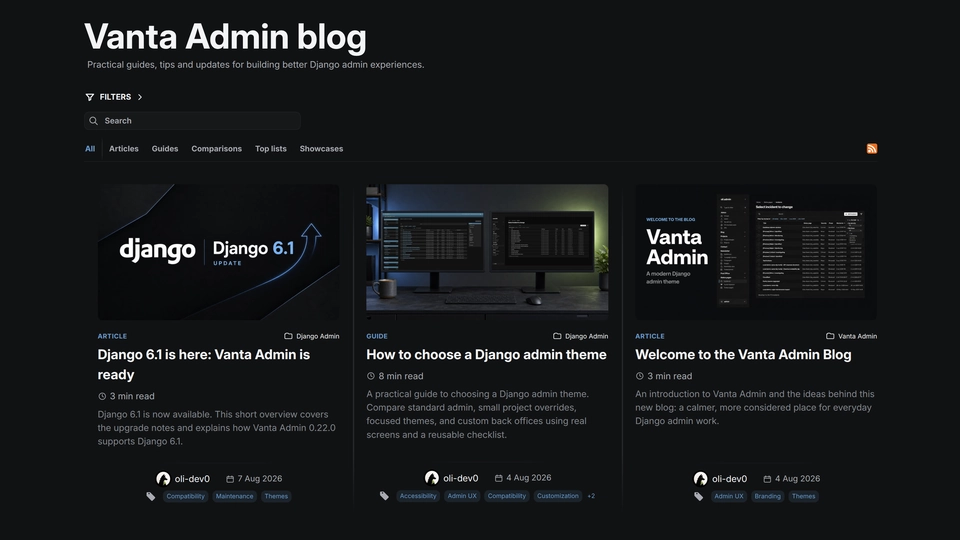
Django Blog is a publishing system I built for writing, organizing, and sharing articles across more than one website. It gives editors a practical Django Admin workflow instead of asking them to edit page markup by hand, while readers get searchable, structured articles with useful media and metadata.
There is also a published showcase article on the live Blog: Inside My Django Blog. It walks through the public blog, the private Admin area, JSON imports, images, search, SEO, and multi-site publishing. It also uses every available content block, so the article itself is a live example of what the Blog can do.
A clear editorial workflow
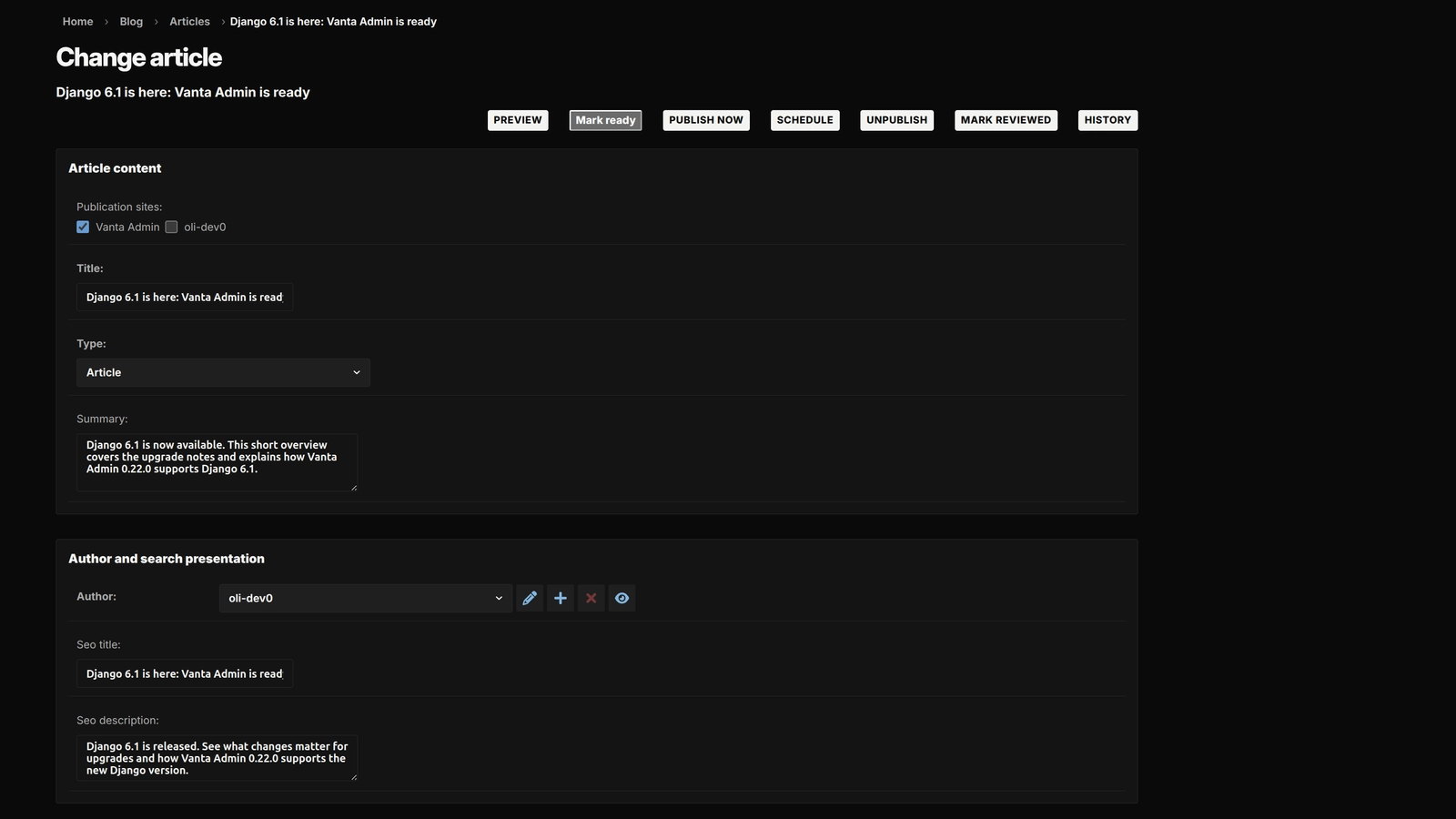
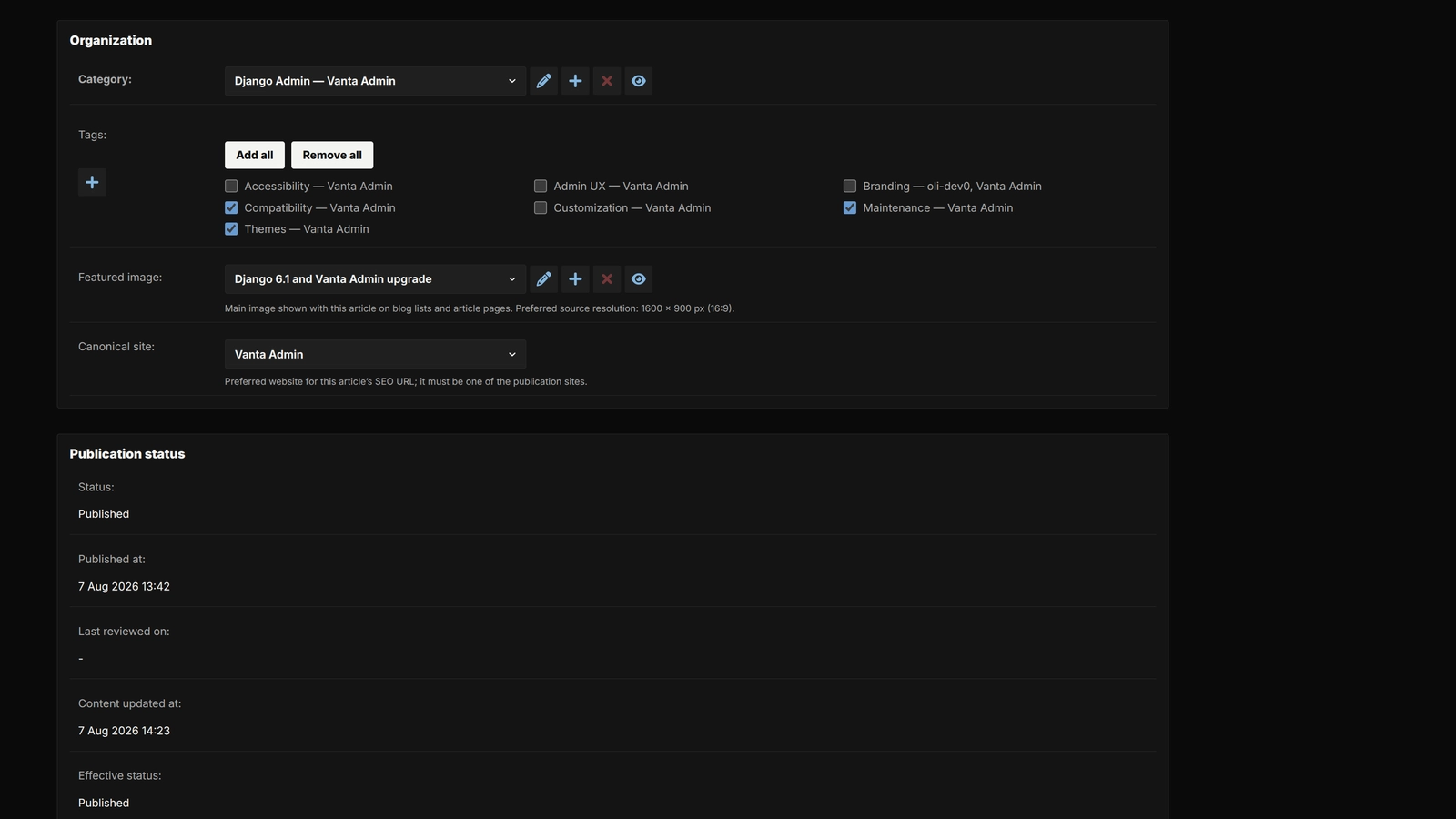
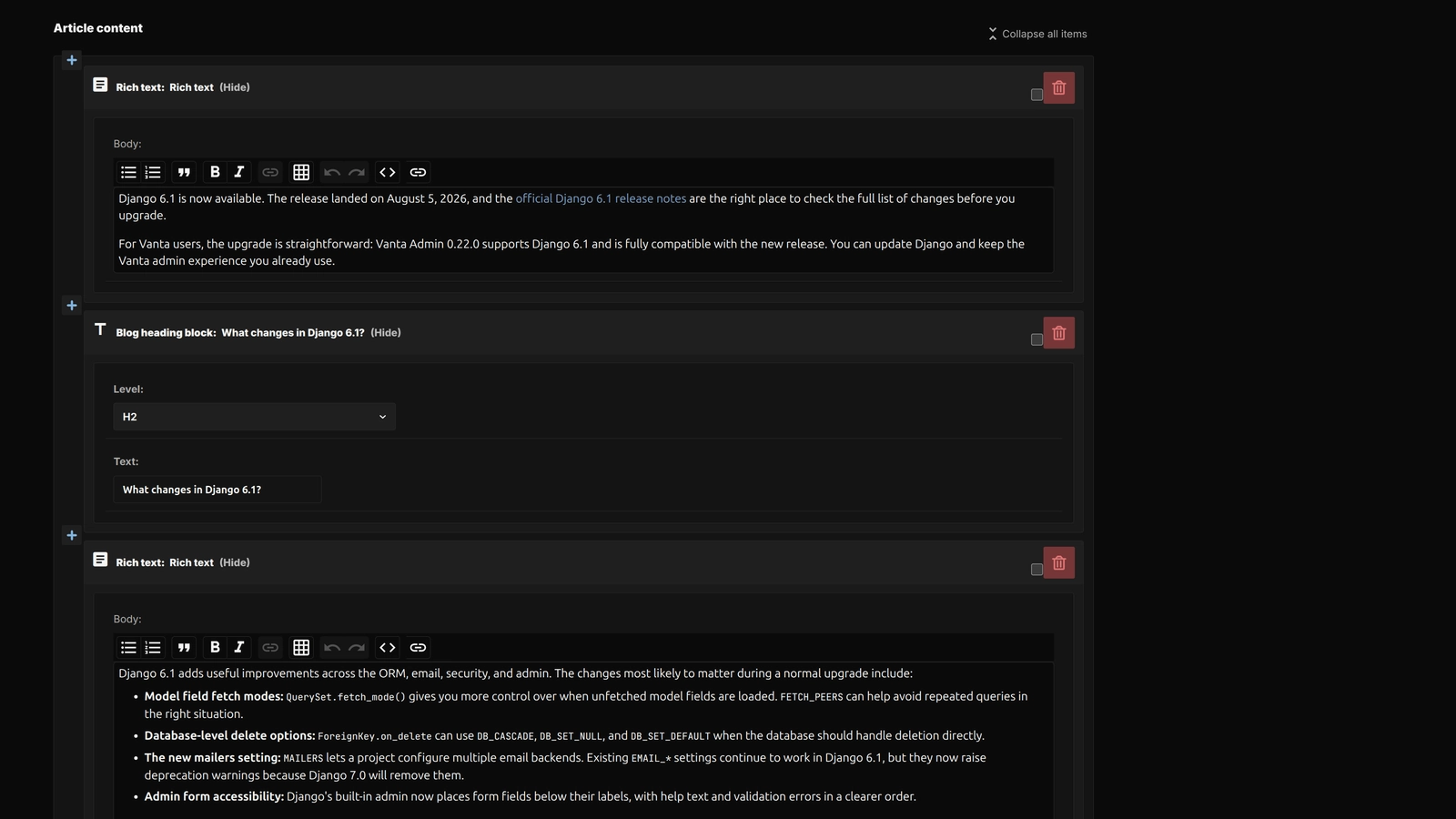
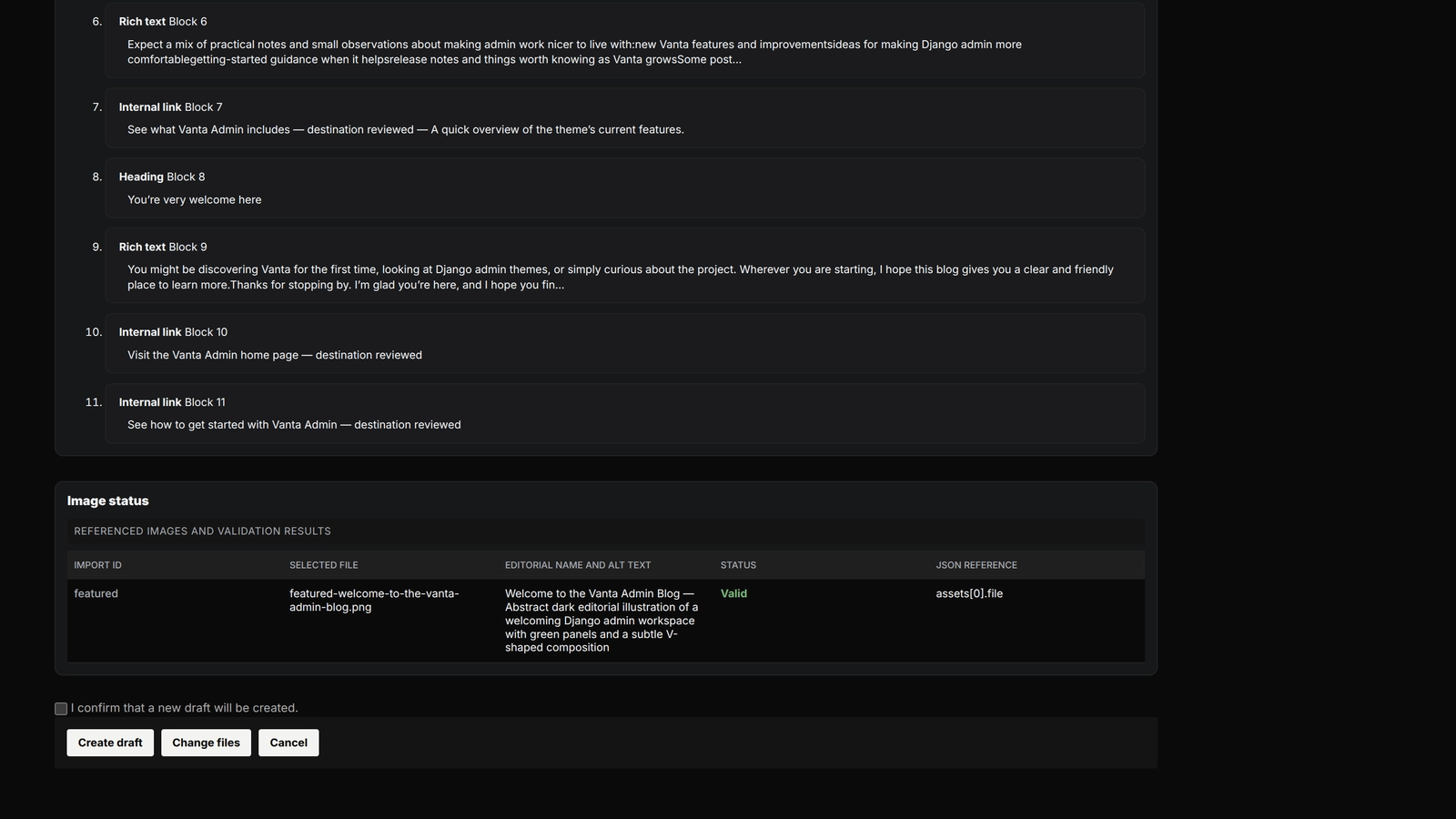
Articles are assembled from reusable blocks such as rich text, headings, code, FAQs, checklists, callouts, links, images, and comparisons. Editors can manage authors, categories, tags, publication sites, scheduling, related articles, and previews from one place. A private import flow accepts a prepared JSON package and local images, validates the references, lets an editor review the result, and creates a separate draft only after confirmation.
A working reference frontend
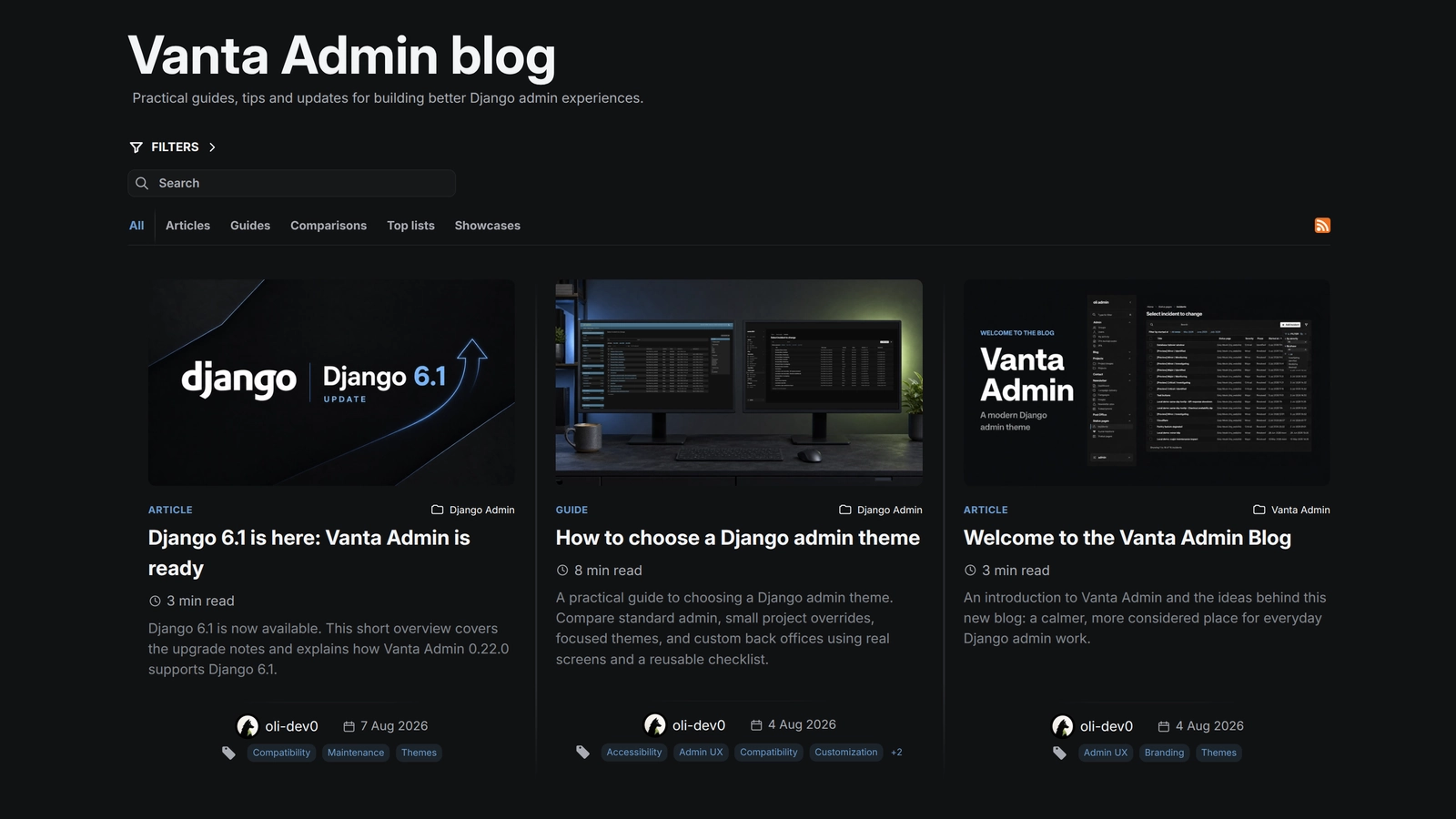
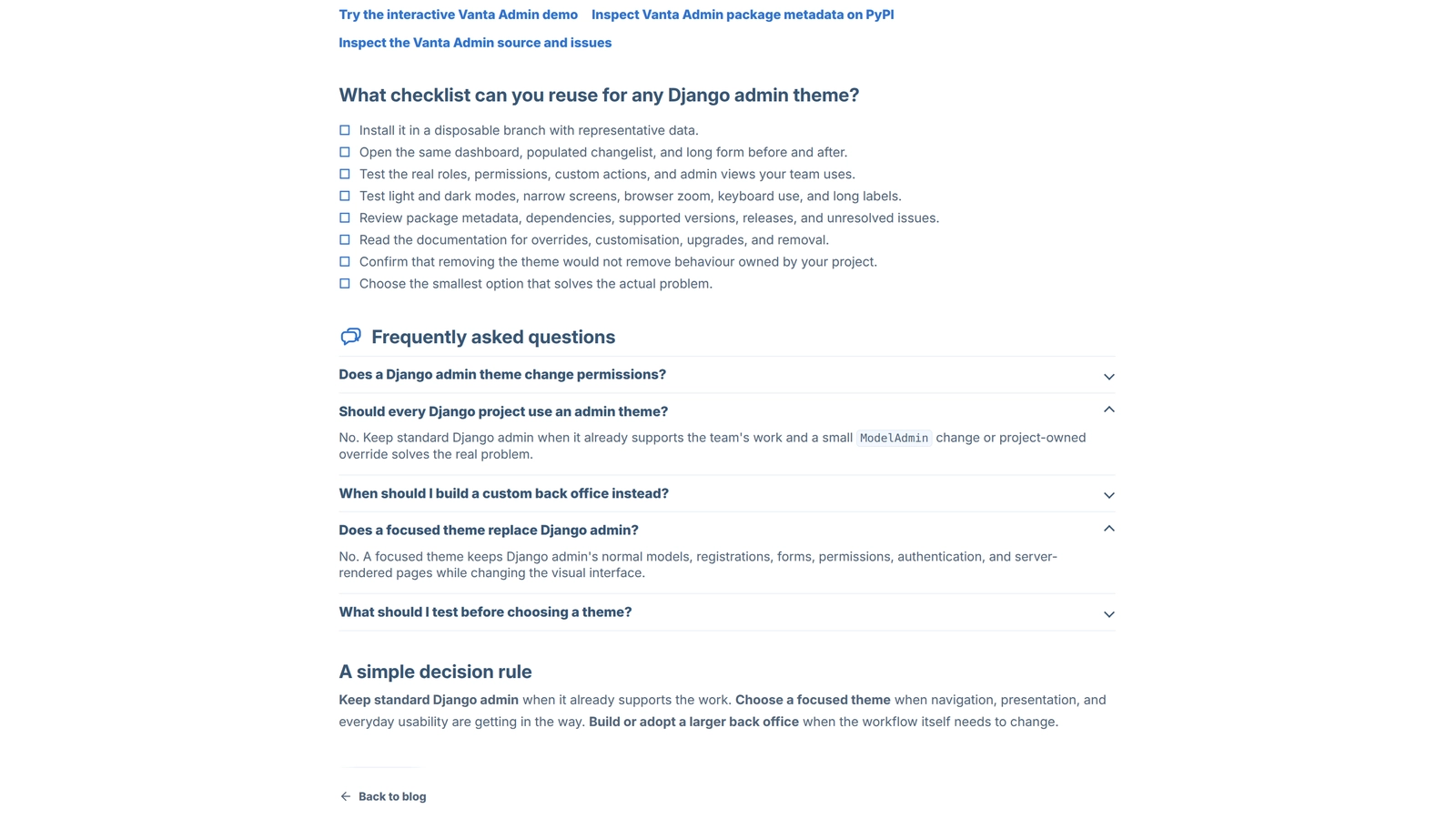
The repository also includes an opt-in reference frontend for the public Blog. It provides a neutral responsive list and detail shell with search and filters, dark and light appearance controls, responsive media, sharing, reading mode, printing, RSS discovery, and the existing SEO metadata and JSON-LD. The important parts still work as server-rendered Django HTML when JavaScript is unavailable.
The Blog app can use this app-owned presentation or a host site's own templates and branding. It is an extracted showcase rather than a complete website, so you still need to connect it to compatible settings, URLs, shared helpers, database, media storage, and deployment configuration.
Django Blog gallery
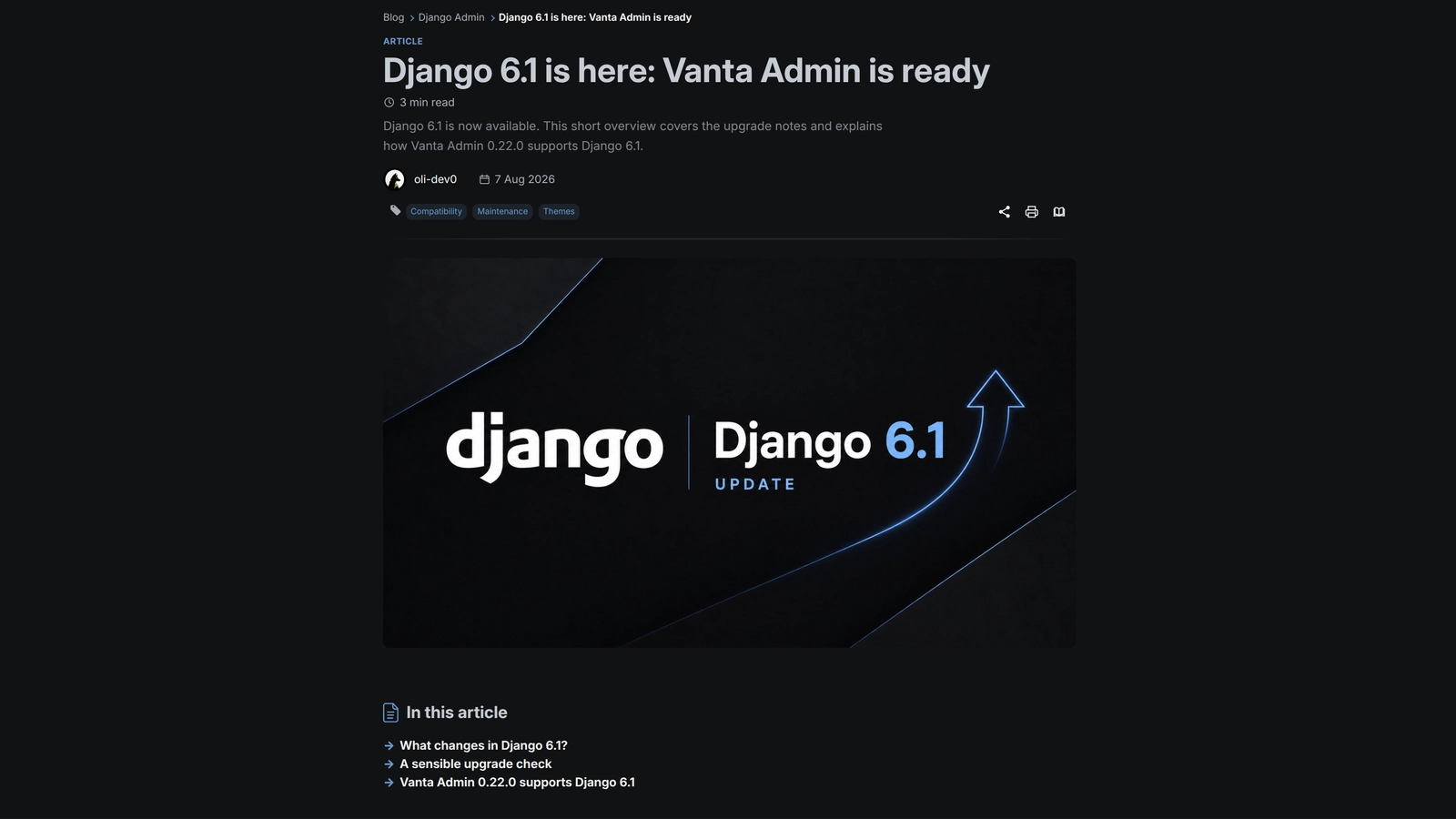
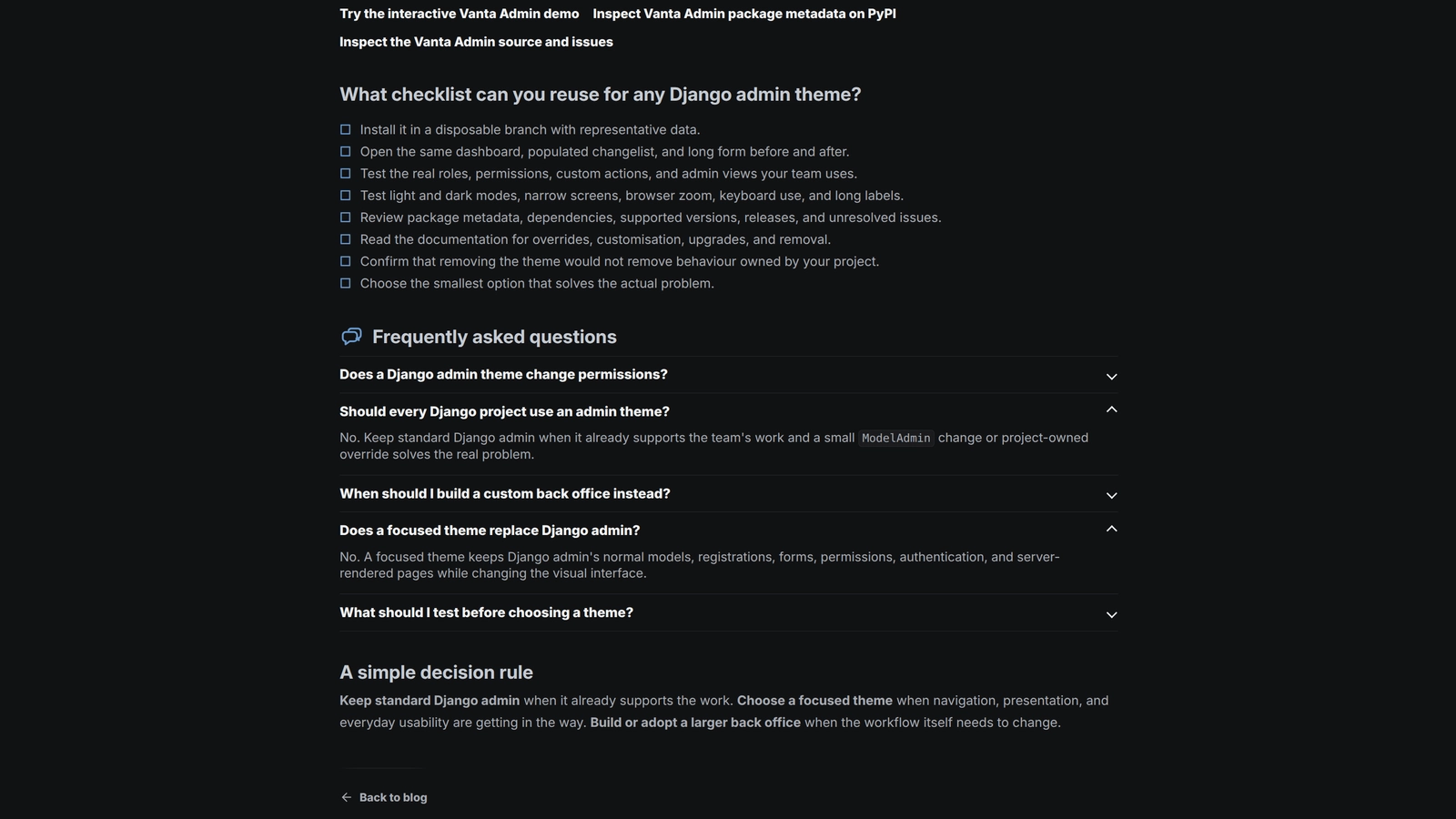
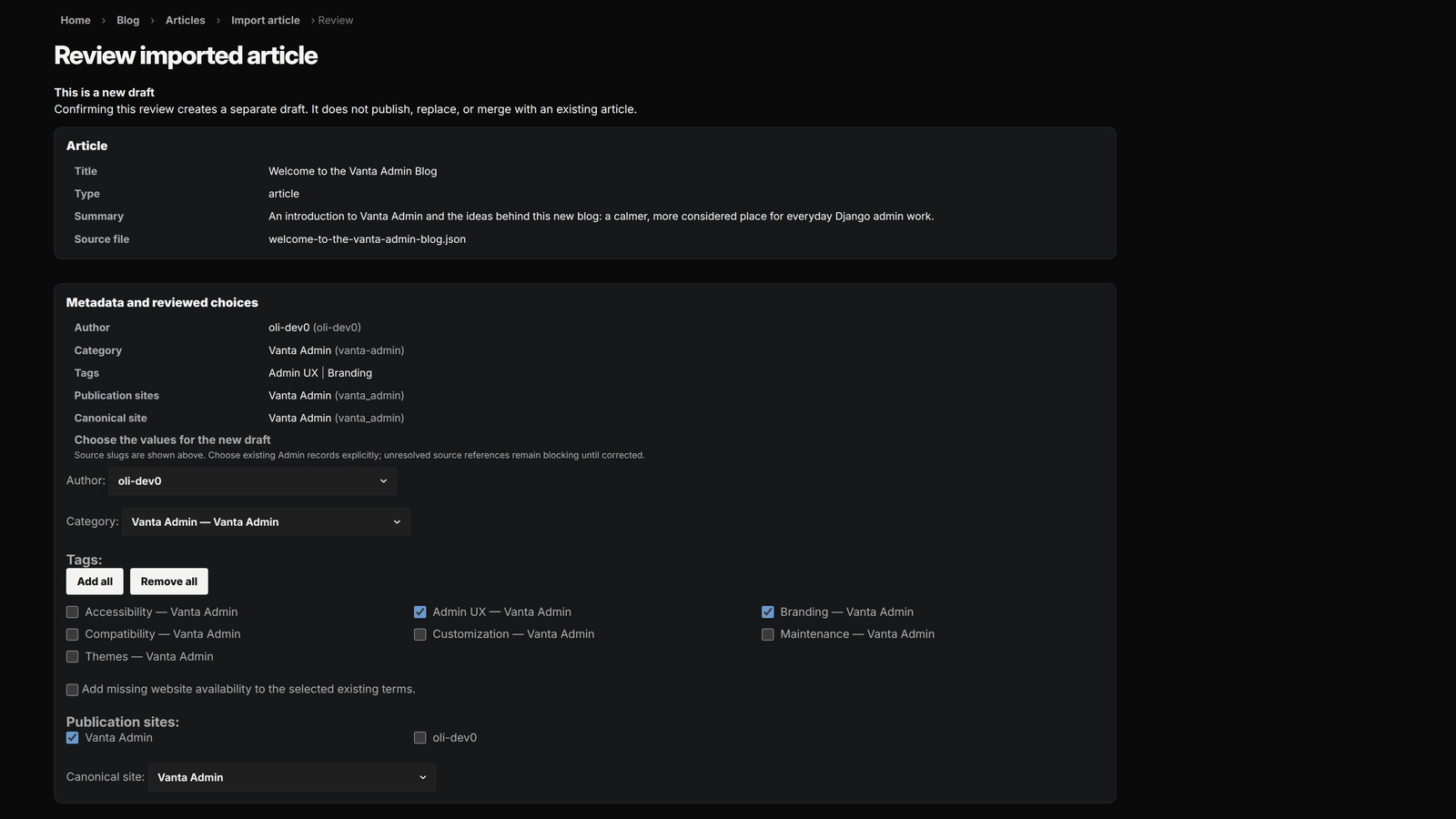
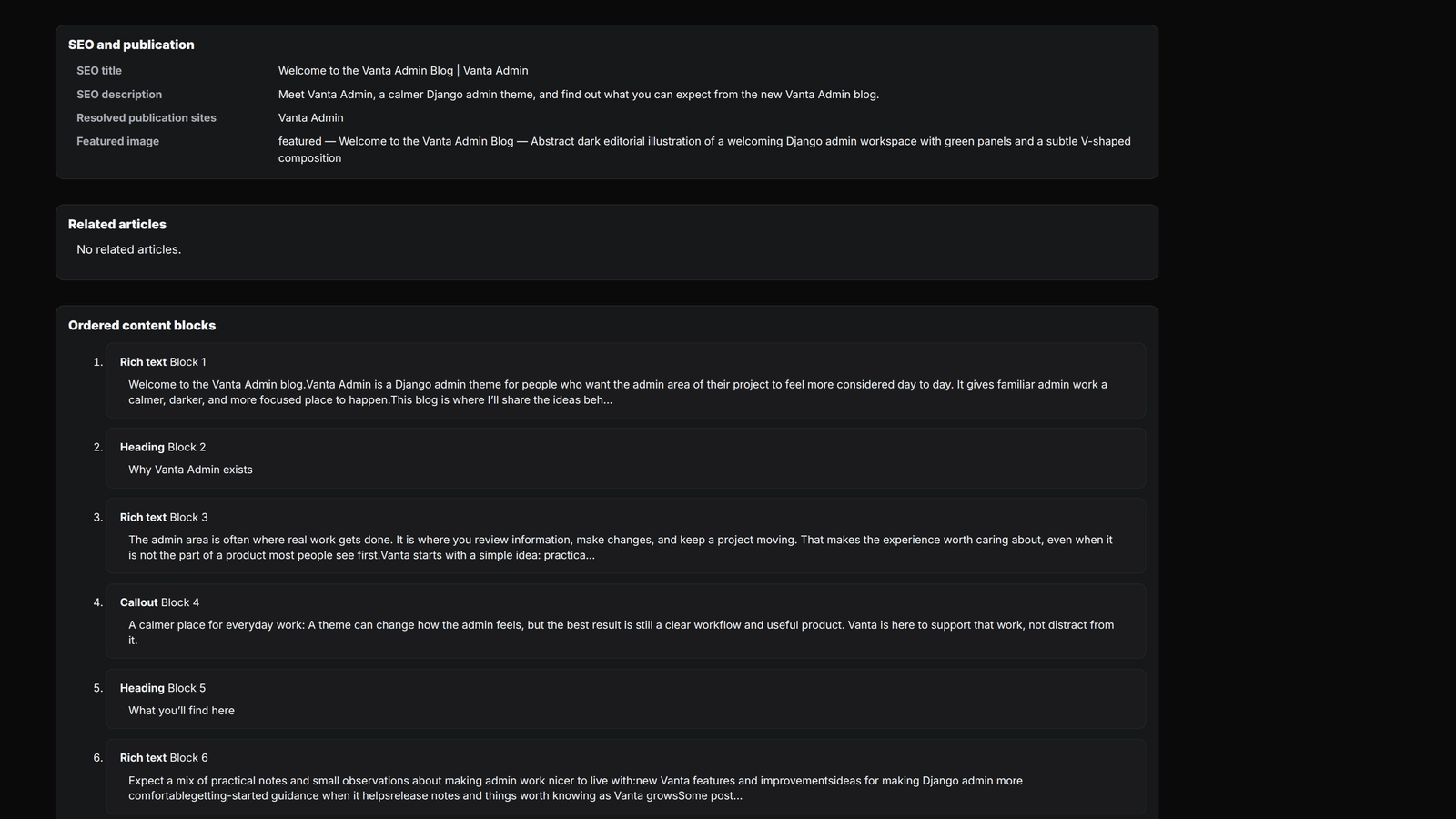
From reading an article to editing it and importing a new draft, showing how the Blog works for both readers and the person running it.
Project information
- Category
- Publishing
Built with
- Python
- Django
- PostgreSQL
- HTML5
- CSS3
- JavaScript






View full feature list
Publishing and editorial workflow
- Draft creation: Admin quick start gives editors a blank draft with a title, site, article type, category, and author.
- Publication lifecycle: Editors can mark articles ready, publish them immediately, schedule them for later, unpublish them, and mark them reviewed.
- Multi-site publication: One article can appear on multiple Blog sites, with a separate canonical site for its SEO identity.
- Scheduled visibility: Public selectors use an article’s status, publication time, and site assignment to decide whether it is effectively published.
- Live published edits: Changes to an already published article become public immediately. There is no revision-staging layer.
- Author profiles: Articles can use profile-backed authors with stable public slugs, names, archive pages, and optional profile pictures.
- Categories and tags: Articles support required categories and reusable tags, with public archive pages and Admin taxonomy management.
- Site-scoped taxonomy: Categories and tags keep globally stable names and slugs, but each term is explicitly enabled for one or more Blog websites. Article forms and publication validation require compatible taxonomy across every selected site.
- Structured content blocks: Articles are assembled from headings, rich text, FAQs, checklists, code, verified provider embeds, callouts, source links, link groups, internal links, images, and image comparisons. See Article content blocks.
- Reading-time metadata: The Blog calculates reading time from normalized article content and shows it in public article metadata.
- Related articles: Editors can select related posts. Compatibility and public visibility rules keep invalid or unavailable relationships hidden.
- Controlled internal links: Editors can link to approved first-party destinations through registry keys instead of arbitrary URLs.
Media and presentation
- Blog image library: Admin manages reusable featured and in-article images with separate content roles.
- Validated image processing: Uploads are checked for format, size, pixels, animation, and metadata, then stored as responsive WebP renditions.
- Author image processing: Author pictures are validated and cropped to a standard square rendition. A shared default avatar is used when no picture is available.
- Comparison images: Two independently processed images can be published as one paired block with separate alt text and a shared caption.
- Responsive image delivery: Public templates use available renditions,
srcset, dimensions, and loading priorities for article media. - Image viewer: Public articles provide a progressive-enhancement lightbox with loading/error states, captions, previous/next navigation, keyboard support, and touch swiping.
- FAQ disclosures: FAQ blocks render as ordered native
<details>sections and remain part of the normal article content flow.
Public reading and discovery
- Blog homepage: Each site provides a paginated list of effectively published articles.
- Taxonomy and author archives: Visitors can browse category, tag, and author archives scoped to each site.
- Server-rendered filtering: The homepage and clean archives support combined article-type, category, author, date, year, and tag filters. JavaScript only enhances the experience.
- Personal-site type choices: The personal website currently exposes only All, Articles, and Guides in its public type row; Comparisons, Top lists, and Showcases remain available to other Blog sites.
- Article search: Homepage search matches normalized query terms against visible article metadata and reader-facing content. It preserves other filters and pagination, and ranks stronger title, category, and tag matches first.
- Article detail pages: Detail pages include breadcrumbs, title, summary, metadata, tags, an optional table of contents, structured content, related articles, and a return link.
- Responsive tag rows: Tags that do not fit collapse behind a
+Ndisclosure whose popup is repositioned to remain inside the viewport. - Article sharing: Readers can use native sharing on supported touch-first browsers. A fallback menu supports X, Facebook, LinkedIn, Reddit, WhatsApp, email, and copying the article link.
- Read mode: Readers can switch to a focused in-place layout with progress tracking and an accessible exit action. No state is persisted.
- Printing: Print prepares lazy images and opens the browser’s native print preview with article-focused styling.
- RSS feed: Each site exposes an English feed containing the latest effectively published articles.
- RSS autodiscovery: Public Blog lists, archives, and details advertise the active site’s feed through standard head metadata.
Reference frontend
- Opt-in app-owned shell: A host site can set its Blog
template_namespacetoblogand expose theblogURL namespace to use the reference list and detail templates instead of a site-owned shell. - Responsive reader-facing layout: The reference shell includes a neutral header, navigation, footer, typography, responsive article lists, detail pages, and mobile-safe spacing without depending on the surrounding site's branding.
- Dark and light appearance controls: Readers can switch between dark and light appearance, with the browser remembering the selected choice on that device. The control stays hidden until the theme script initializes safely.
- Server-rendered fallback: Search, filters, article links, metadata, empty states, and navigation remain usable as normal Django HTML when JavaScript is unavailable.
- Progressive enhancements: JavaScript adds immediate filter submission, tag overflow handling, native sharing with a fallback menu, copy-link feedback, read mode, image viewing, and print preparation without replacing the server-rendered page.
- Namespaced frontend assets: The reference shell owns its CSS, JavaScript, fonts, and social icons under the Blog static namespace. Font URLs remain relative to the stylesheets so the presentation can work with a custom static URL or asset host.
- Reader-facing metadata: List and detail templates preserve canonical URLs, robots behavior, RSS autodiscovery, Open Graph and Twitter metadata, article timestamps, and escaped
BlogPostingandBreadcrumbListJSON-LD. - Frontend contract tests: Focused tests cover reference template selection, missing-template system checks, list/detail metadata, filtered-list noindex behavior, app-owned static references, fonts, assets, neutral branding, and safe theme initialization.
SEO and public metadata
- Canonical identity: Canonical URLs, metadata, feeds, sitemaps, and robots references use each site’s trusted primary origin.
- Open Graph and social metadata: Article pages provide site-specific titles, descriptions, URLs, images, and article timestamps for social previews.
- Structured data: Pages provide escaped
BlogPostingandBreadcrumbListJSON-LD based on visible article facts. - Sitemaps: Public article and sufficiently populated taxonomy/author archive URLs are included with meaningful last-modified dates.
- Indexability rules: Drafts, wrong-site content, invalid archives, and filtered combinations receive the appropriate 404, noindex, or canonical response.
Admin, import, and safety
- Structured Admin editor: Django Admin gives editors ordered block editing, taxonomy controls, publication-site management, related articles, media selection, and workflow actions.
- Saved website previews: Authenticated editors can preview an article in a selected Blog site shell, with unavailable-site warnings when needed.
- Private article import: Editors can upload a versioned JSON package and local images, review the resolved references, and then create a separate draft.
- Versioned import contracts: Import v1 remains supported; import v2 can propose named missing categories/tags and explicitly review term creation or website-assignment expansion before draft creation.
- Import staging and cleanup: Import files use private storage, owner-bound staging, expiry, transaction compensation, and a cleanup management command.
- Permission checks: Blog model permissions and custom organize, publish, and unpublish permissions protect Admin operations.
- Fail-closed validation: Publication, rendering, related articles, internal links, and media each reject or hide invalid stored data.
Sites, language, and boundaries
- Shared Blog backend:
apps/blogsupplies common data, selectors, rendering, feeds, sitemaps, content behavior, and the optional reference presentation. A consuming site can still provide its own shell and branding. - Site-owned shells: The shared Blog can render through the personal-site, Easy Meals, and Vanta presentation shells in the configured/test matrix. Public Blog routing is currently enabled for the personal site and Vanta. Easy Meals keeps its shell for portability and presentation coverage, but has no public Blog namespace in the default site registry.
- English-only contract: Blog content, slugs, metadata, public routes, and responses use English; non-English Blog paths return 404.
- Server-rendered interface: The public Blog uses Django HTML and RSS with progressive enhancement. There is no public Blog API or mobile client.