
Django Status Page
A Django app that gives visitors one clear place to check service health, recent uptime, and active incidents.
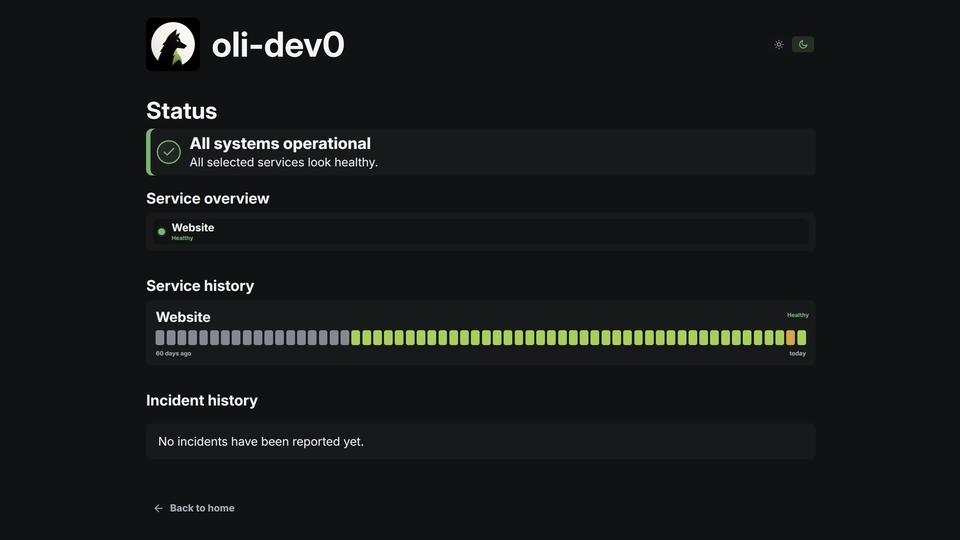
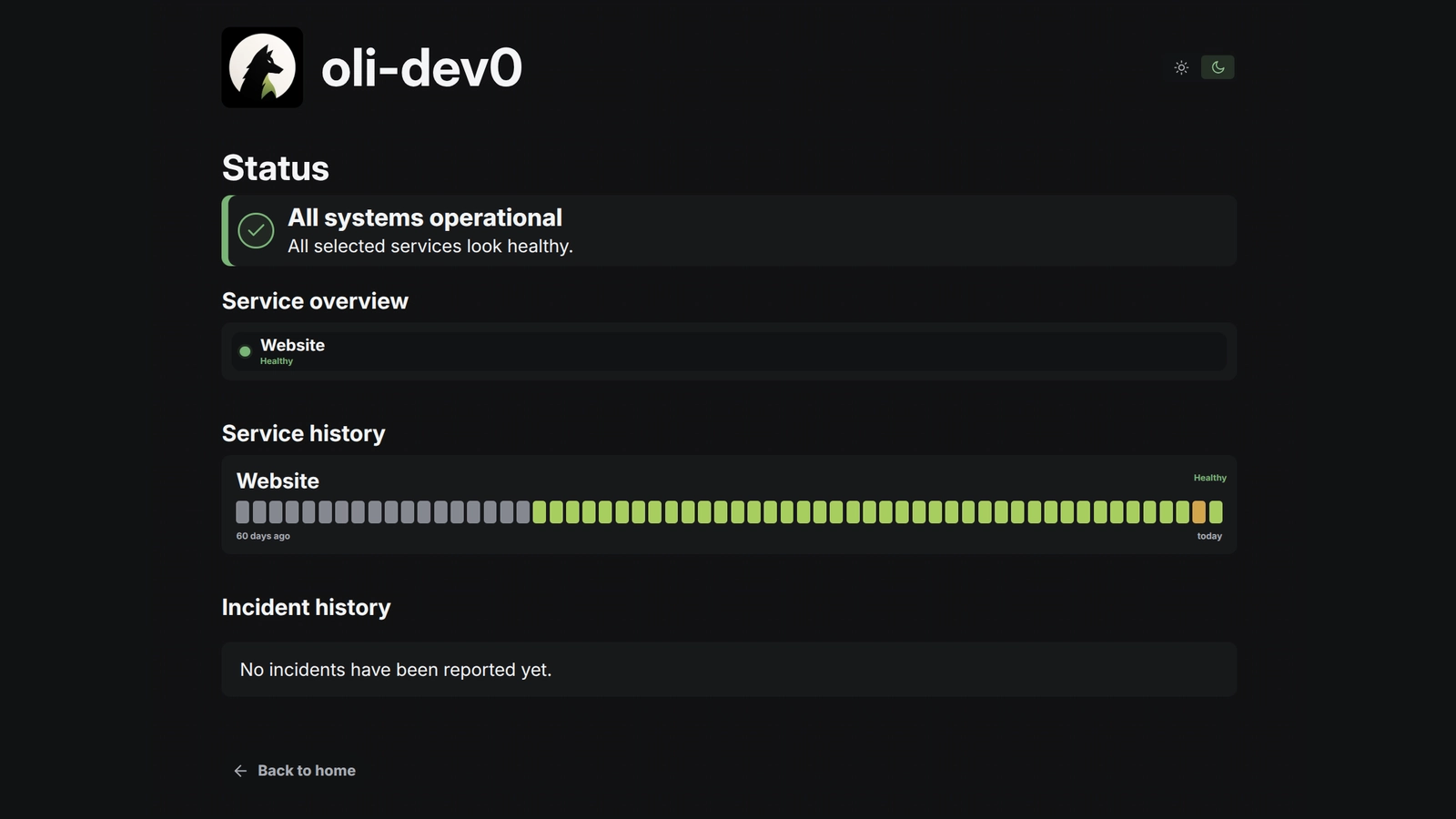
This project gives visitors a simple answer to a useful question: is the website or service working right now?
What visitors see
The public status page shows the health of each selected service, recent uptime, and any incidents that are being investigated or resolved. It is a complete server-rendered frontend with responsive service cards, uptime bars, light and dark appearance modes, visitor-local timestamps, automatic refreshes, and honest fallback states when monitoring data is unavailable.
How it works
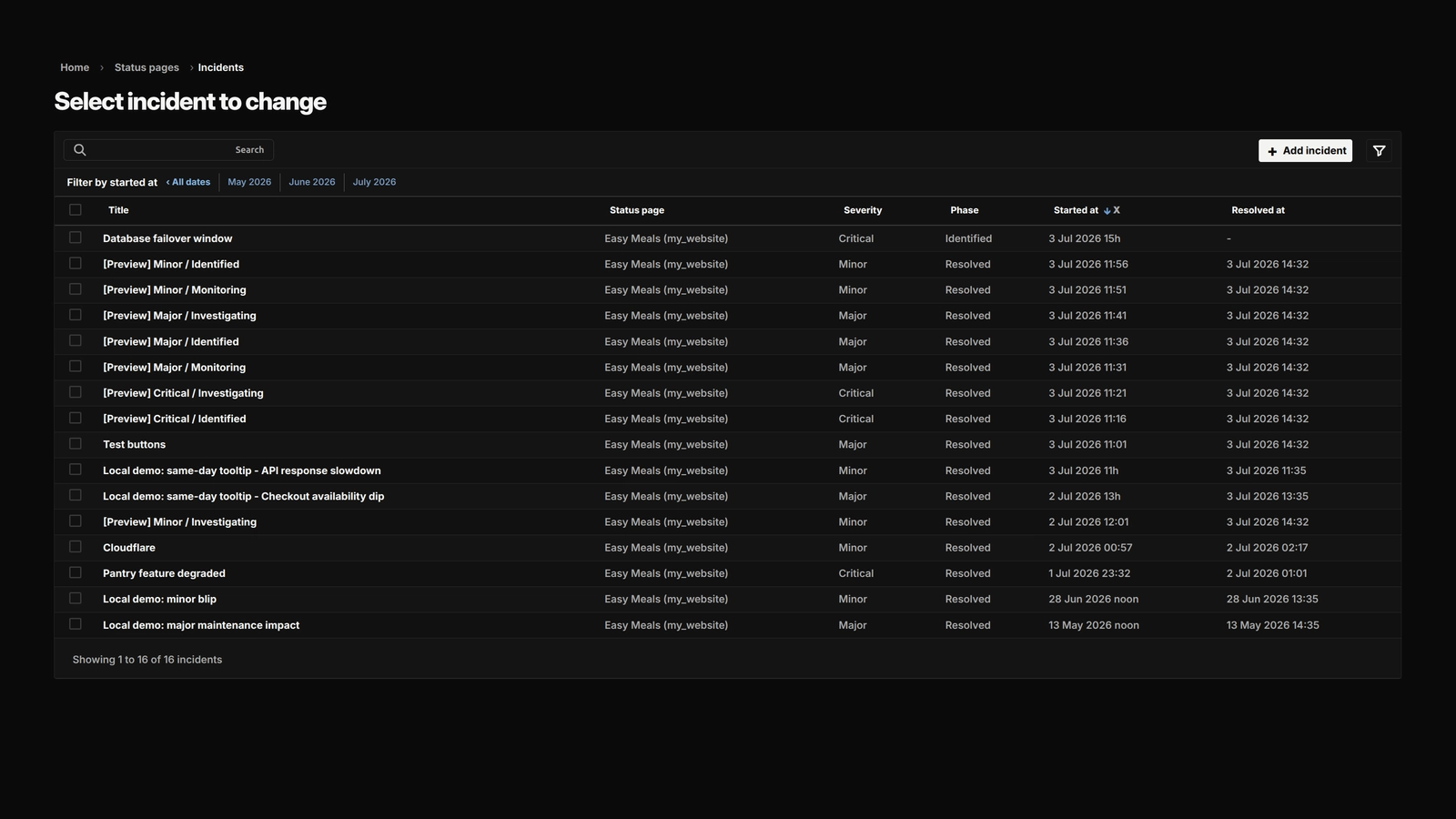
A site owner manages the page from Django Admin by choosing which services to show, putting them in the right order, and writing incident updates for visitors. The app can connect to Uptime Kuma for current health data and stores daily uptime history in Django so older information remains available.
I kept the public page usable without JavaScript. JavaScript adds small improvements such as the appearance switcher, local-time formatting, refresh behavior, and keyboard-friendly Admin controls. Visitors never see private monitoring details or Admin-only information.
The app includes its own public templates, CSS, and JavaScript, but it is still designed to be connected to an existing Django project. The host project remains responsible for settings, login, site and host configuration, storage, URLs, and deployment.
Django Status Page gallery
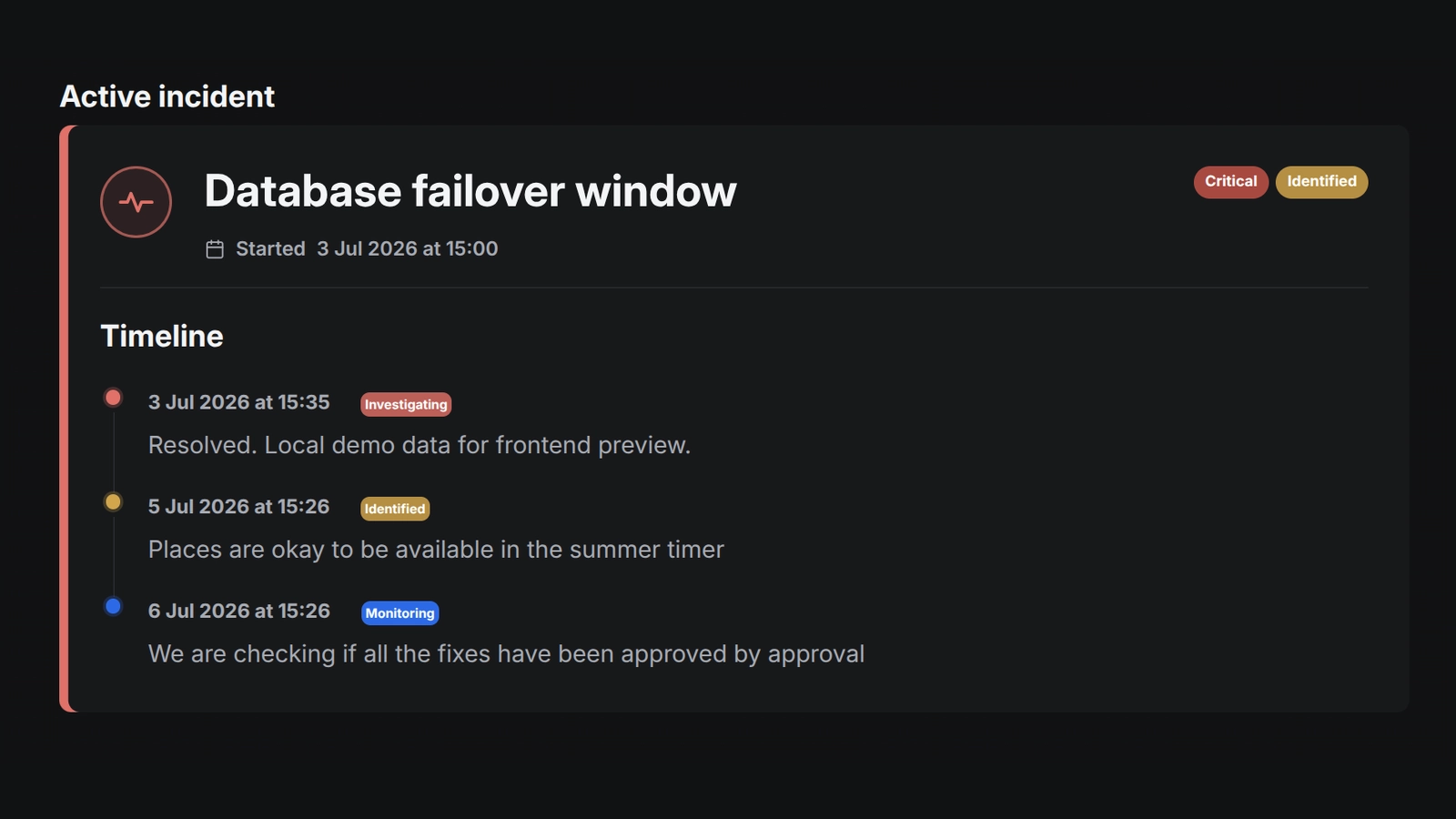
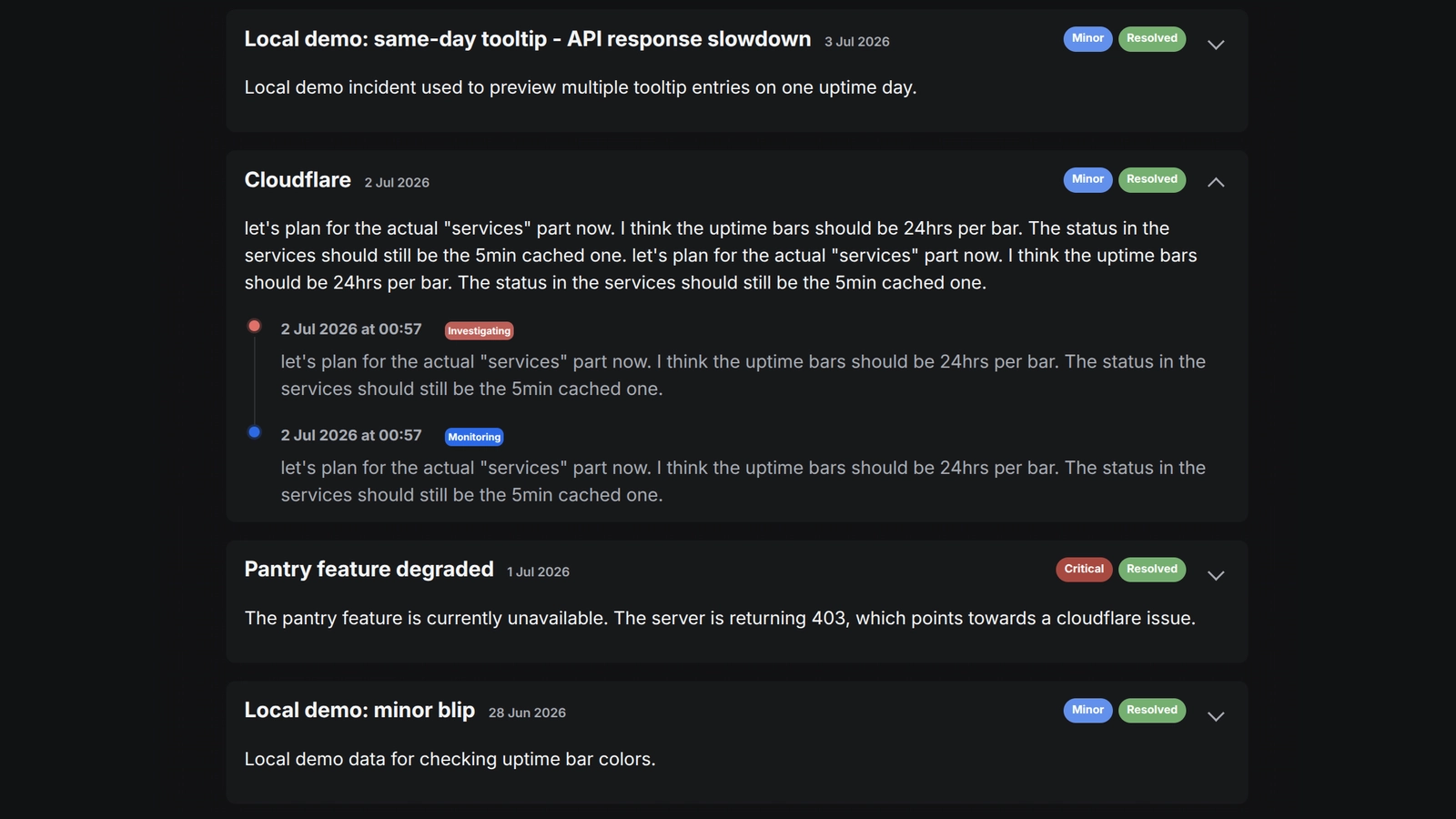
The complete status-page workflow: a public health overview, incident management in Django Admin, an active incident timeline, and a clear history of resolved issues.
Open gallery 4 images
Project information
- Category
- Operations
Built with
- Python
- Django
- HTML5
- CSS3
- JavaScript





View full feature list
This is the full feature list for the Django Status Page project. The short project description explains the idea; this page gives you the complete picture, including the public reference frontend that ships with the app.
What visitors see
- A quick check whether a website or service is working.
- The health of each service selected by the site owner.
- A public name and description for each service.
- Clear overall states such as healthy, degraded, unavailable, unknown, or not configured yet.
- A clear “all systems operational” message when everything is healthy.
- Active incidents shown when the site owner is investigating a problem.
- Incident progress, including investigating, identified, monitoring, and resolved stages.
- A history of resolved incidents and the updates written during each incident.
- A list of the services affected by an incident.
- A 60-day view of daily uptime for each selected service.
- Unknown uptime days when there is not enough data, rather than a misleading healthy result.
- Optional branding, including a title, description, logo, and link back to the main website.
- A layout that works on desktop and smaller screens.
- Light and dark appearance modes.
- A saved appearance choice, so the browser remembers the visitor’s preference on that device.
- Incident and uptime times shown in the visitor’s local timezone when JavaScript is available.
- Normal server-rendered times when JavaScript is turned off.
- Automatic page refreshes so an open status page can pick up new information.
- Refreshes that wait until a hidden browser tab is visible again.
- A canonical URL and instructions asking search engines not to index the page.
- No private monitoring details, internal Kuma data, hidden services, unavailable monitors, or Admin-only fields.
Public reference frontend
- The app includes the public templates and reusable page sections that make up the status-page presentation.
- The reference page is server-rendered HTML with a calm, responsive layout for desktop and smaller screens.
- The included CSS owns the status-page layout, service cards, uptime bars, incident states, focus styles, and responsive behavior.
- The included JavaScript adds light/dark appearance switching, visitor-local timestamps, automatic refreshes, and the small Admin ordering interactions.
- The public page keeps working with normal server-rendered values when JavaScript is disabled.
- The public presentation stays inside the app, so it does not depend on a particular host site's Admin theme.
What site owners can manage
- Create and edit status pages for the websites configured in the main Django project.
- Create more than one status page for a website by giving pages different slugs, or short names in the URL.
- Use
mainas the default page slug. - Keep a page hidden until its content is ready to publish.
- Choose which Uptime Kuma service checks appear on each page.
- Give a service a different public name on a particular page when needed.
- Hide one selected service without removing it from the project.
- Move services up and down with simple keyboard-friendly controls.
- Manage service selection directly from the status-page form instead of opening a separate configuration screen.
- Select only monitors that are currently available.
- Create incidents with minor, major, or critical severity.
- Move an incident through investigating, identified, monitoring, and resolved stages.
- Choose only services belonging to the selected status page as affected services.
- Add at least one public update before saving an incident.
- Add a resolved time automatically when an incident is marked resolved.
- Prevent an unresolved incident from being saved with a resolved time.
Optional Uptime Kuma connection
- Connect to Uptime Kuma through environment settings when live monitoring data is wanted.
- Read the public information for a Kuma status page.
- Read recent public service checks from Kuma.
- Import the monitored services from a Kuma status page into Django Admin.
- Update imported service names, identifiers, types, and availability when Kuma changes.
- Use the Kuma monitor ID to keep each imported service connected to the right local record.
- Remove local services that no longer exist on the selected Kuma status page.
- Remove page selections that depended on a service removed from Kuma.
- Keep manually written public service descriptions when services are imported again.
- Continue showing the status page with an honest fallback state when Kuma is not configured.
- Handle timeouts, server errors, unreadable data, and incomplete responses without showing upstream details to visitors.
- Cache recent Kuma results for a configurable amount of time instead of contacting Kuma for every visitor.
- Use Kuma’s public endpoints without requiring Kuma API credentials in the current implementation.
Recent uptime history
- Provide the
sync_status_uptimeDjango command for collecting recent Kuma checks. - Save day-by-day uptime information in the Django database.
- Count healthy, unavailable, and unknown checks for each day.
- Track periods of consecutive downtime within a day.
- Group each check into a day using the timezone chosen by the main Django project.
- Keep history available after Kuma’s public endpoint has stopped showing older checks.
- Report how many services and checks were processed, how many rows changed, and any warnings.
Information stored by the app
- Store the title, description, branding, site, URL slug, and visibility of each status page in
StatusPage. - Store imported or manually created service checks in
KumaMonitor. - Store which services belong to each page, their public names, order, and visibility in
StatusPageService. - Store one day of uptime information per service in
KumaMonitorDailyUptime. - Store incidents and their public updates in
IncidentandIncidentUpdate. - Prevent two pages for the same website from using the same slug.
- Prevent the same Kuma service from being imported twice.
- Prevent the same service from being selected twice on one page.
- Prevent duplicate uptime records for the same service and day.
- Remove a page’s incidents and service selections when that page is deleted.
- Protect a service from deletion while a page still uses it.
- Add database indexes for common page, service, uptime, and incident lookups.
Adding it to a Django project
- Add the app to an existing Django project instead of running it as a separate website.
- Find public pages using the current website and page slug.
- Work with language-prefixed URLs supplied by the main project.
- Support dedicated status-page domains when the main project provides the matching host and website setup.
- Leave login, settings, HTTPS, allowed domains, hosting, backups, and scheduled tasks to the main project.
- Use the included public frontend as a starting point, or replace its templates and styling with the host project's own presentation.
- Keep the public page as server-rendered HTML rather than adding a separate mobile or frontend API.
Page design and browser behavior
- Use Django templates and smaller reusable template sections to build the public page and its incident, service, and uptime-history states.
- Use plain CSS for layout, colors, service cards, uptime bars, focus states, and smaller screens.
- Use small vanilla JavaScript files instead of a large frontend framework.
- Let visitors switch between light and dark appearance.
- Format dates and times in the visitor’s browser timezone.
- Refresh the public page after a set interval.
- Provide Admin JavaScript for moving services up and down.
- Provide Admin JavaScript for updating the affected-service choices when an incident page changes.
- Keep the status page’s CSS and JavaScript inside the app so the reference frontend remains available without depending on a particular Admin theme.
Test coverage
- Check model validation and database rules.
- Check that pages are visible only for the correct website and slug.
- Check service selection, ordering, availability, and public names.
- Check incident stages, severity, updates, and resolution times.
- Check that Admin forms show the right choices.
- Check Kuma URLs and different kinds of Kuma responses.
- Check importing services from Kuma and handling Kuma failures.
- Check daily uptime calculations and timezone handling.
- Check the public page, fallback states, metadata, canonical URLs, incidents, history, and protection of hidden services.
- Check the included public templates, responsive status-page assets, appearance toggle, local-time behavior, refresh behavior, and no-JavaScript fallback.