
Django Newsletter
A Django newsletter system that makes it easier to manage subscribers, create campaigns, send emails, and respect people’s privacy.
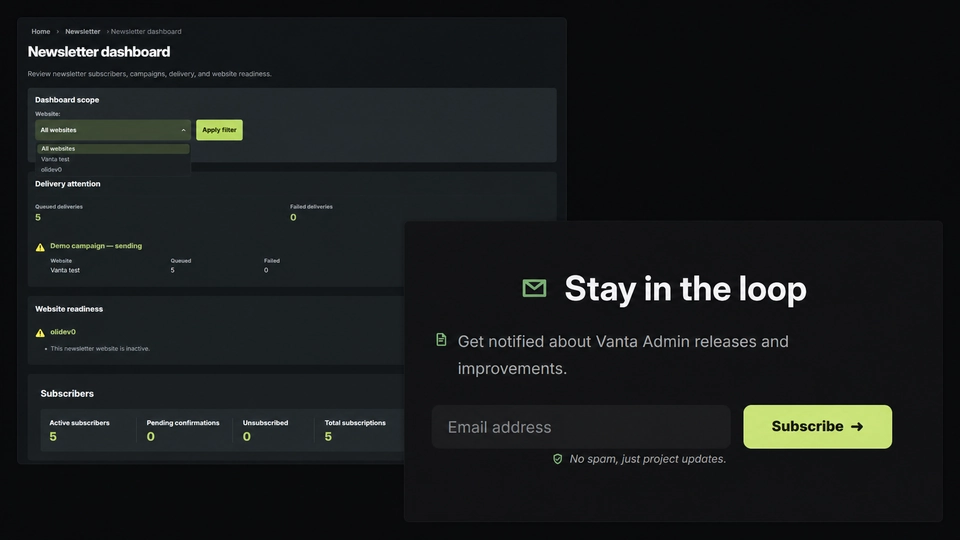
Django Newsletter brings the whole newsletter process into one place. Visitors can sign up, confirm their email address, and unsubscribe without needing an account. Site owners can then create, preview, schedule, and send campaigns from Django Admin.
One system for several websites
I built it to work with several websites in the same Django project. Each website keeps its own subscribers, campaigns, email design, and sender details, so information from one site cannot accidentally appear in another.
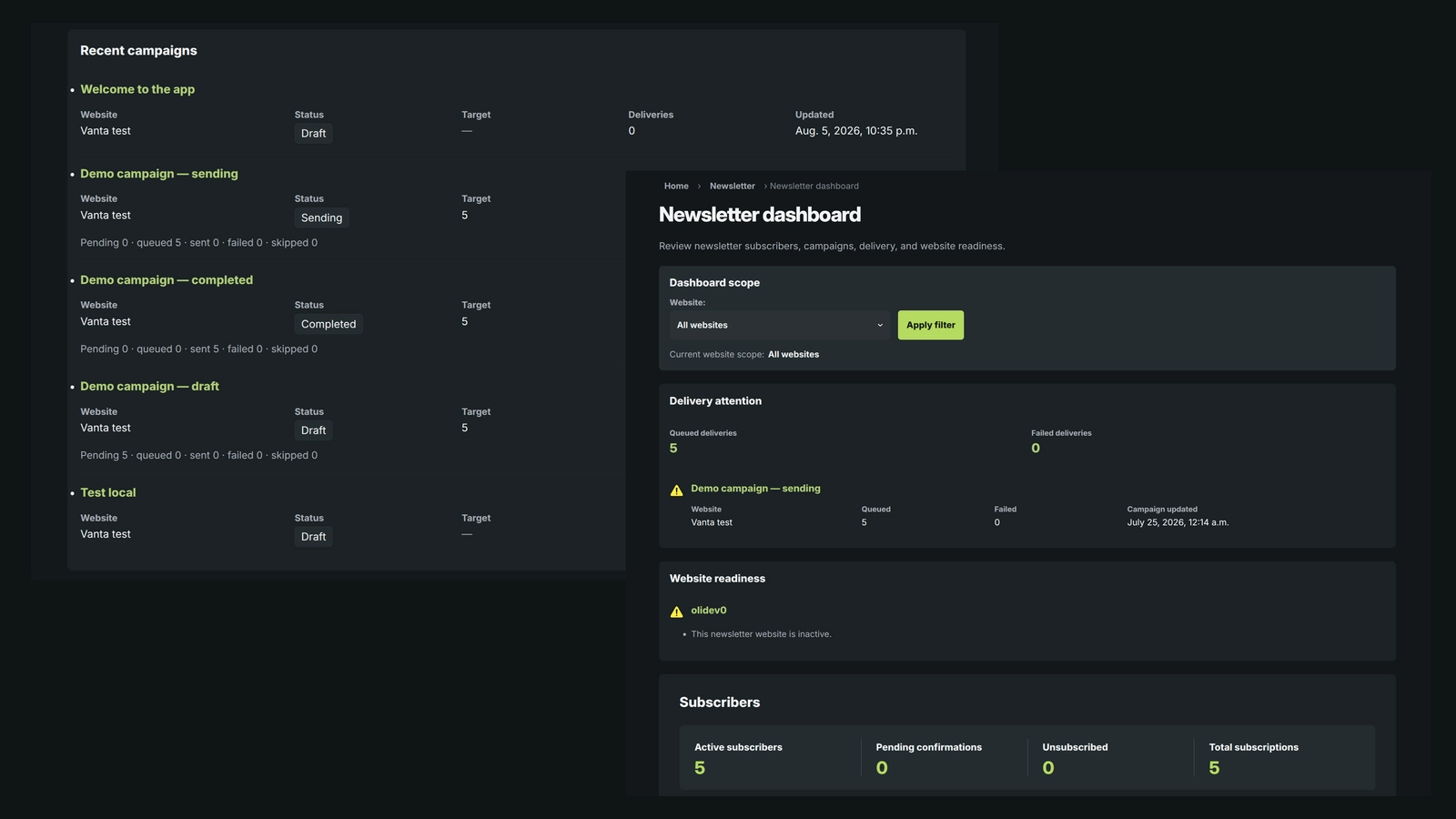
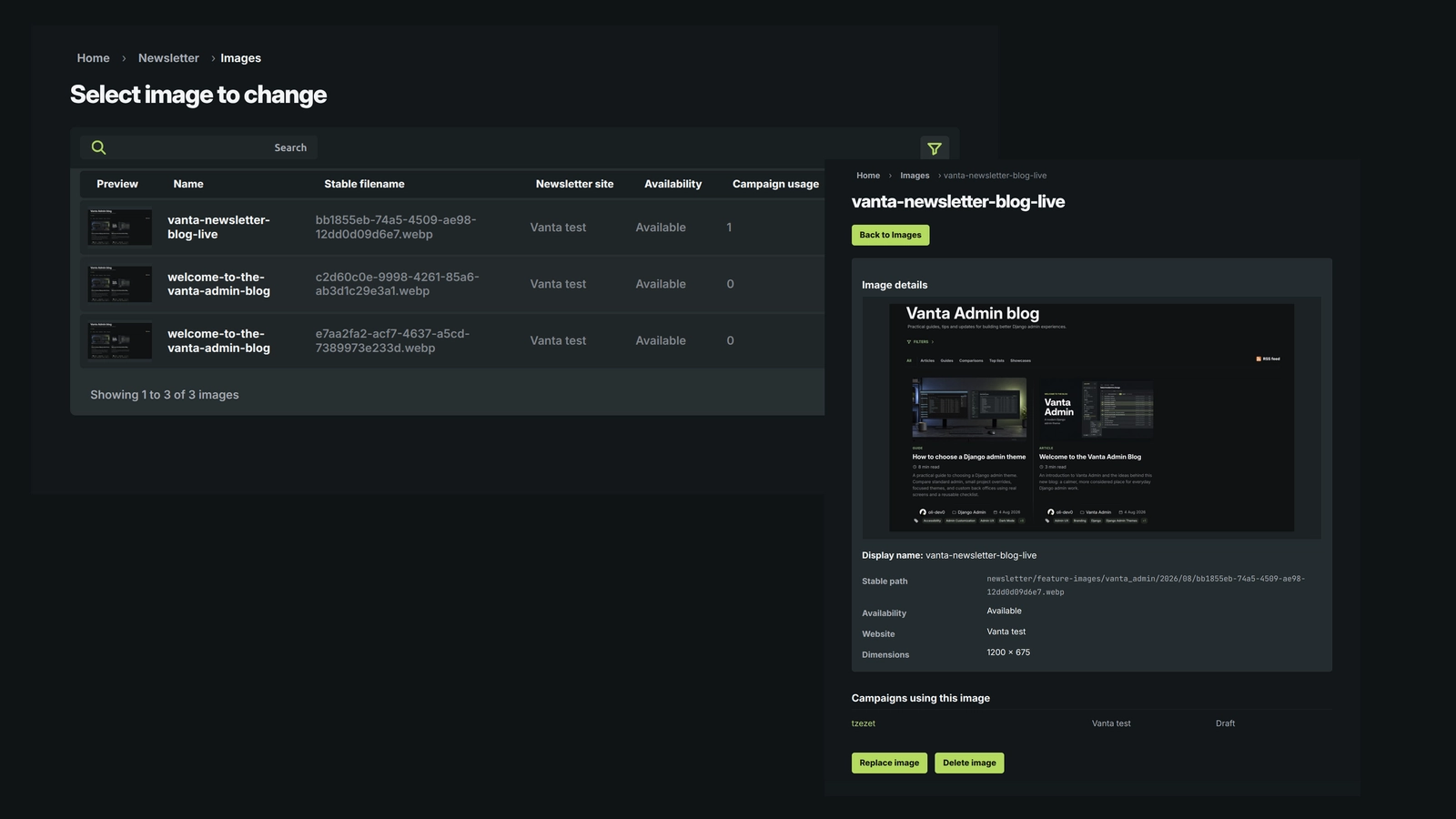
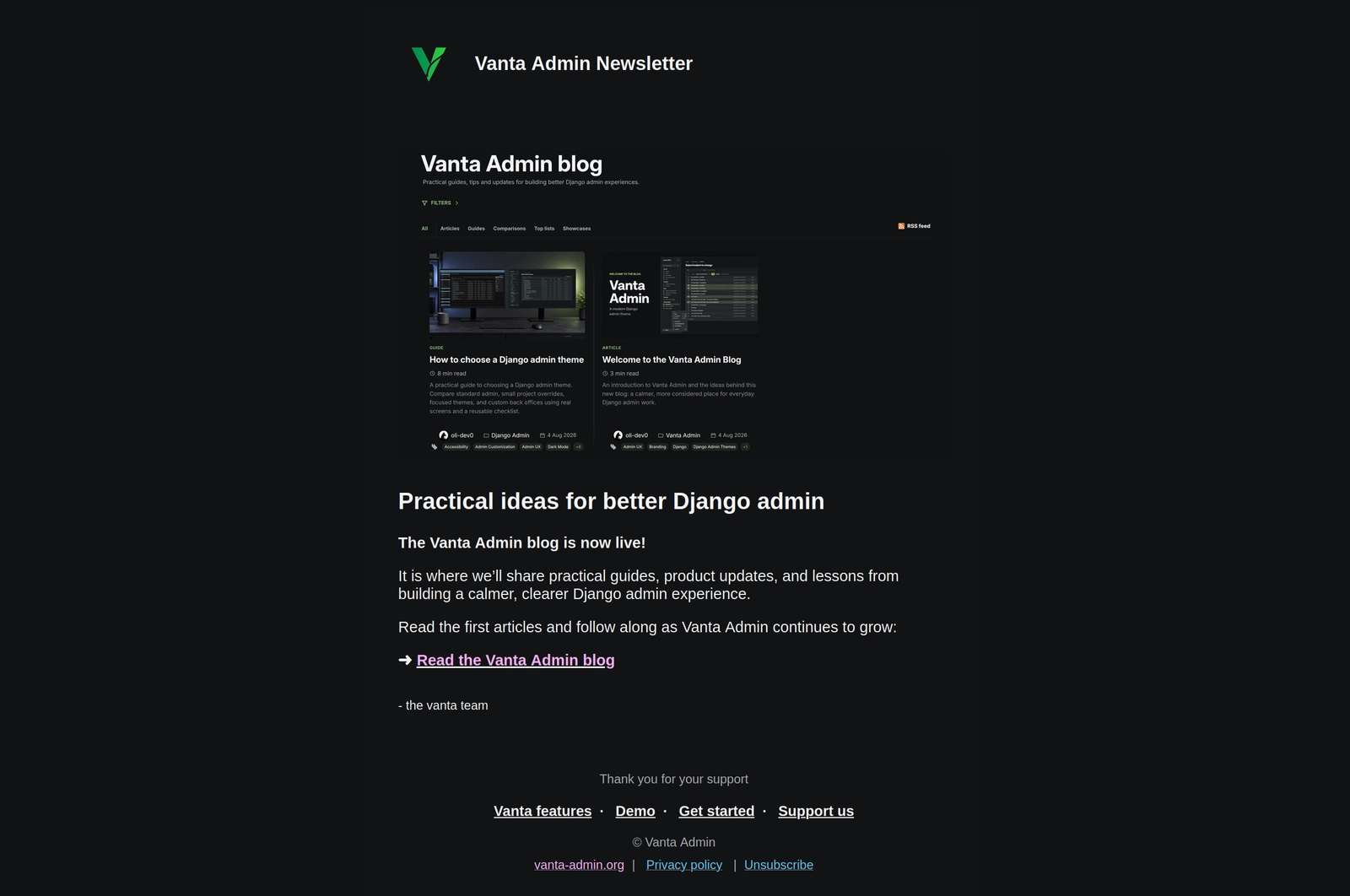
The Admin includes a clear dashboard for checking subscriber numbers, recent campaigns, failed deliveries, and missing settings. Campaigns can also include a featured image, and failed emails can be reviewed and retried.
Privacy and safe delivery were important parts of the work. The signup form includes spam protection and email confirmation. Raw visitor IP addresses are not stored, and deleting a subscriber also removes their saved email data while keeping anonymous delivery totals.
The repository contains the reusable Django app, templates, styles, database changes, background commands, and 149 focused tests. It is a working implementation showcase rather than a ready-to-install package, so it still needs to be connected to a complete Django project.
Django Newsletter gallery
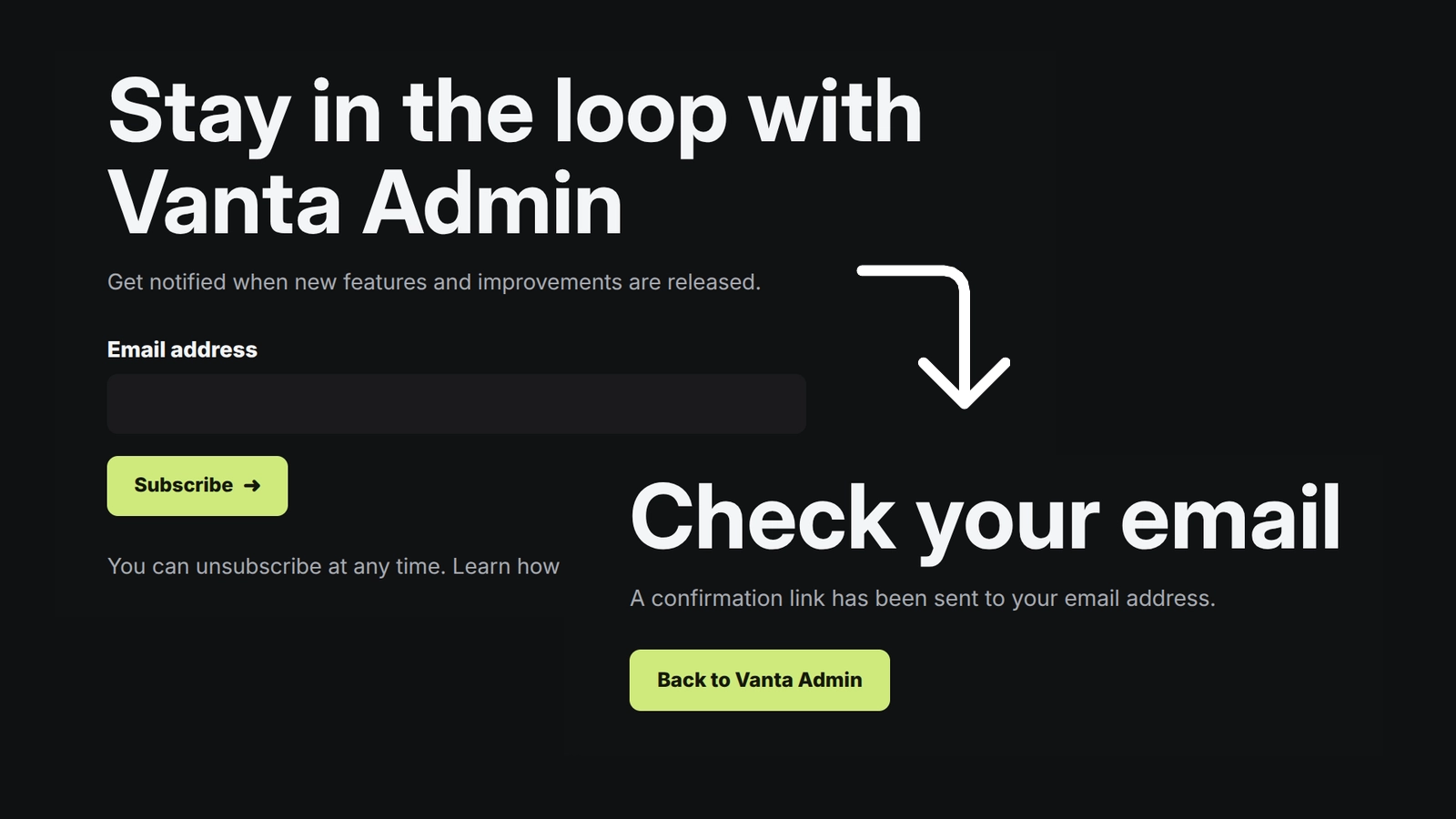
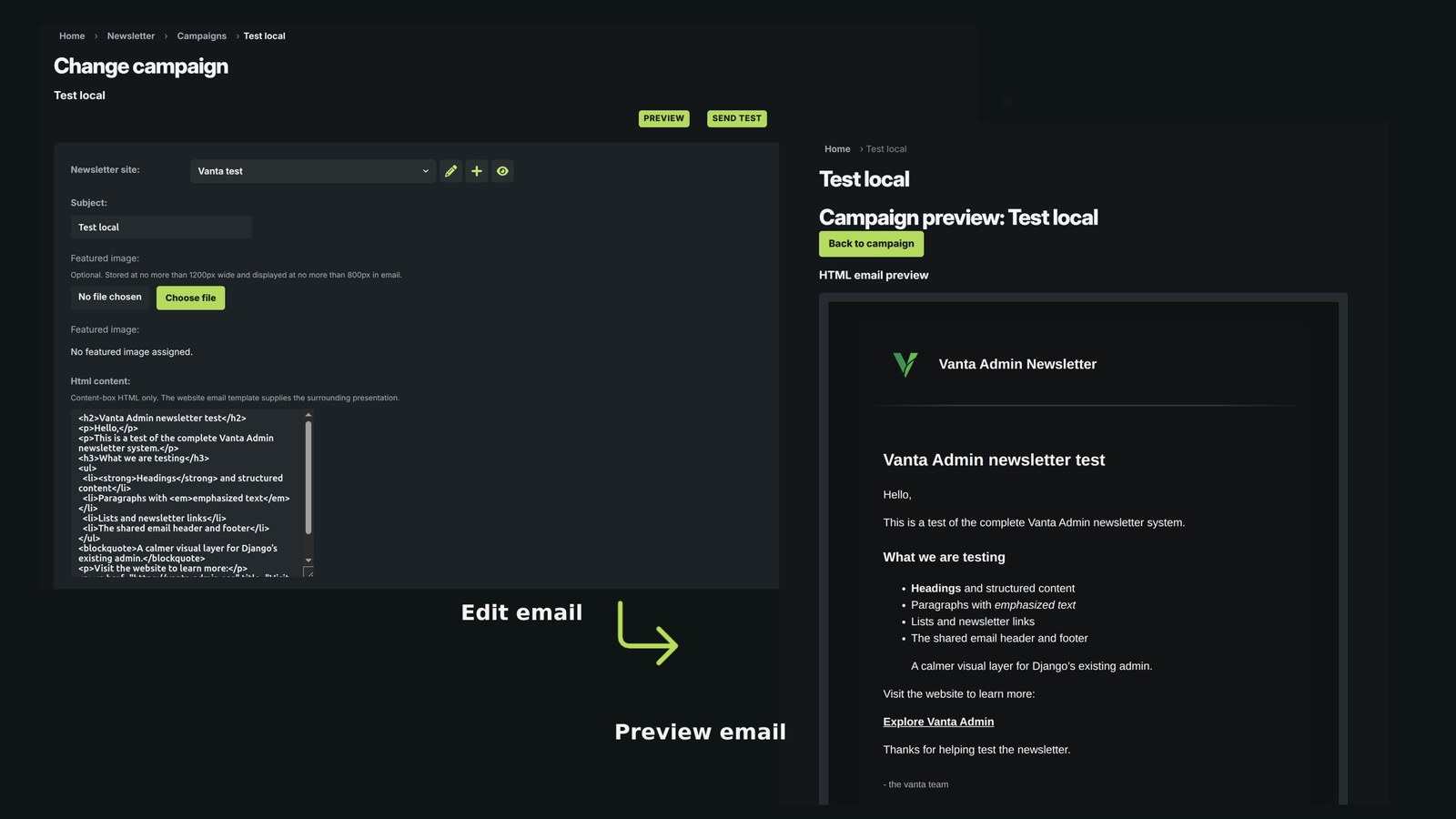
The signup page, campaign tools, and Admin dashboard show how the project supports both newsletter readers and site owners.
Open gallery 5 images
Project information
- Category
- Publishing
Built with
- Python
- Django
- PostgreSQL
- HTML5
- CSS3





View full feature list
Django Newsletter handles the complete newsletter process, from the first signup to campaign delivery and privacy cleanup. The main project page gives a short overview; this page shows the full feature set in more detail.
What subscribers can do
- Sign up through a normal Django form that works without JavaScript.
- Confirm their email address before joining the mailing list.
- Unsubscribe through a secure link without creating an account or signing in.
- See clear result pages after signing up, confirming, or unsubscribing.
- Subscribe to newsletters from more than one website while keeping each subscription separate.
- Receive a new confirmation email when an earlier link has expired.
- Safely open a confirmation or unsubscribe link more than once without repeating the action.
- Use public pages that are kept out of search results and browser caches.
- Use translated public pages when the main Django project provides them.
Signup protection
- Uses Django's normal CSRF protection on the signup form.
- Includes a hidden honeypot field to catch simple automated submissions.
- Limits repeated signup attempts by email address and visitor address.
- Stores a protected one-way version of the visitor address instead of the raw IP address.
- Checks that the newsletter in the URL belongs to the website being visited.
- Does not trust an editable hidden field to decide which website receives the signup.
- Gives neutral responses that do not reveal whether an email address is already subscribed.
- Keeps email addresses and simple database IDs out of public confirmation and unsubscribe links.
- Uses separate signed links for confirmation and unsubscribe actions.
- Makes confirmation links expire after 24 hours.
Managing several websites
- Manages newsletters for several websites from one Django app and one Admin.
- Keeps subscribers, campaigns, images, sender details, and delivery history separate for every website.
- Prevents a campaign for one website from reaching another website's subscribers.
- Lets every website have its own public wording, sender details, logo, email design, and newsletter settings.
- Checks website URLs and domains against the main project's trusted site settings.
- Keeps privacy deletion limited to the selected website when the same email address is subscribed elsewhere.
- Supports normal language-prefixed routes in a multilingual Django project.
- Also supports an English-only website with clean URLs that do not include a language prefix.
- Does not guess a visitor's language from their IP address or location.
Creating and sending campaigns
- Lets authorized staff create draft campaigns in Django Admin.
- Stores the subject, HTML content, plain-text content, website, schedule, status, and delivery summary.
- Lets staff preview a campaign before sending it.
- Sends a clearly marked test email without changing the real campaign or its recipients.
- Supports sending now or scheduling a campaign for later.
- Lets staff cancel a scheduled campaign before it starts.
- Asks for confirmation before important Admin actions.
- Checks permissions, settings, campaign status, and recipients again when sending starts.
- Prevents the same campaign from being started twice.
- Counts the active subscribers for the correct website before creating deliveries.
- Saves a fixed copy of the sender, branding, subject, content, and featured-image URL when sending begins.
- Keeps useful sent, failed, skipped, and target totals after the campaign finishes.
- Shows a short, safe error message when something goes wrong without exposing internal details.
Email designs and previews
- Automatically chooses the right email design for each website.
- Provides matching designs for confirmation emails, campaigns, and Admin previews.
- Uses one shared fallback design for a website without its own registered design.
- Keeps email templates in the codebase where they can be reviewed and tested.
- Does not let staff edit raw email-template code in Django Admin.
- Shows staff which email design is active and whether it is working.
- Provides a private preview using fictional content rather than a real subscriber.
- Shows both the HTML email and its plain-text version.
- Cleans editable campaign HTML before it is used in an email.
- Checks the complete email design before allowing confirmation emails or campaign actions.
- Blocks sending when a required template is missing or broken instead of quietly using the wrong design.
- Keeps email footer content in the templates rather than storing it in the database.
- Sends English email content in the current version.
Featured images
- Lets a draft campaign include one optional featured image.
- Allows only images belonging to the same website as the campaign.
- Checks the uploaded file type, image content, and dimensions.
- Converts each accepted image to WebP and limits it to 1200 pixels wide without enlarging smaller images.
- Removes the original upload after creating the processed image.
- Gives every image a stable public URL.
- Keeps that URL unchanged when the image is replaced, removed, or restored.
- Lets authorized staff replace an existing image.
- Lets staff remove the file without deleting its history or campaign connections.
- Lets a removed image be restored later at the same URL.
- Shows which visible campaigns use an image.
- Prevents an image change when the staff member cannot see every campaign that uses it.
- Protects images that are still connected to campaigns from being deleted as database records.
- Restores the previous file and database details when image processing fails partway through.
- Checks that the saved database record and physical image still agree after an Admin action.
- Leaves the image out of an email when no usable public URL is available.
- Displays campaign images responsively in supported email clients.
How email delivery works
- Keeps Django in charge of subscriber consent, campaigns, recipients, and delivery history.
- Uses Mailtrap's Transactional email service for confirmation messages.
- Uses Mailtrap's Bulk email service for test messages and campaigns.
- Uses
django-post-officeto queue email and track its delivery state. - Creates one delivery record and one email message for each recipient.
- Processes recipients in small batches rather than queueing the whole audience at once.
- Checks that a subscriber is still active immediately before queueing their email.
- Skips queued messages when someone unsubscribes before delivery.
- Records each delivery attempt so retries and sending limits remain accurate.
- Supports daily and monthly sending limits.
- Pauses extra work safely when a batch or sending limit is reached.
- Prevents two newsletter processors from running the same work at the same time.
- Recovers automatically when an earlier processor stopped without finishing cleanly.
- Tracks pending, queued, sent, failed, and skipped results in Django.
- Lets authorized staff retry eligible failed deliveries.
- Rechecks consent, campaign state, website ownership, and retry limits before trying again.
- Marks a campaign complete only after every recipient has reached a final state.
- Includes the
process_newsletter_mailmanagement command for regular scheduled processing. - Keeps all delivery switched off until the required settings are complete.
Keeping provider unsubscribes in sync
- Adds one Mailtrap unsubscribe link to every campaign email.
- Accepts signed unsubscribe notifications from Mailtrap through a dedicated webhook.
- Rejects webhook requests with a missing or incorrect signature.
- Accepts both supported Mailtrap event formats.
- Rejects malformed or oversized requests.
- Saves accepted events before processing them.
- Recognizes duplicate provider events and avoids applying them twice.
- Matches each unsubscribe to the correct website and normalized email address.
- Applies only unsubscribe events from Mailtrap's Bulk email stream.
- Safely ignores unrelated event types without changing subscriber consent.
- Does not allow Mailtrap events to activate or delete unrelated subscriptions.
Django Admin tools
- Uses normal Django permissions to decide what each staff member can see and change.
- Provides a private newsletter dashboard for a quick overview.
- Shows subscriber totals and status counts for each visible website.
- Shows recent campaigns with their audience and delivery results.
- Highlights queued or failed delivery work that may need attention.
- Warns about websites with missing, invalid, inactive, or disabled newsletter settings.
- Never shows subscriber email addresses on the dashboard.
- Limits website filters, totals, and links to information the staff member is allowed to see.
- Keeps editing, sending, retrying, and deleting in the normal Admin pages rather than adding risky dashboard shortcuts.
- Provides clear empty, limited-access, invalid-filter, partial-error, and unavailable states.
- Keeps the rest of the dashboard useful when one optional section cannot load.
- Returns a safe private error page when it cannot reliably determine which websites the staff member may see.
- Keeps Django Admin's normal search, sorting, filters, and pagination.
- Shows a campaign summary first, then the individual recipient deliveries for that campaign.
- Keeps delivery history read-only apart from the specific retry action.
- Provides a permission-checked action for deleting a subscriber's private data.
Privacy and cleanup
- Deletes the selected subscription and its retained raw queued-email content when staff use the privacy action.
- Removes the connection between that subscriber and older delivery records.
- Keeps anonymous campaign results and attempt totals for operational history.
- Leaves the same person's subscriptions on other websites untouched.
- Never stores raw visitor IP addresses for signup limits.
- Removes old signup-limit records after their retention period.
- Removes old raw email and delivery-log content after its retention period.
- Removes processed Mailtrap webhook records after their retention period.
- Includes the
cleanup_newsletter_datacommand for regular scheduled cleanup. - Coordinates sending, unsubscribing, and deletion so they do not change the same subscriber record in conflicting ways.
Reliability and data safety
- Uses database rules to prevent the same email address from being added twice to one website.
- Prevents duplicate live deliveries for the same campaign and subscriber.
- Protects important consent and campaign changes with database transactions and row locks.
- Prevents duplicate sends caused by repeated or out-of-date Admin forms.
- Keeps useful delivery history after short-lived provider and queue logs are removed.
- Treats Django as the final record of consent instead of relying on provider logs.
- Adds database indexes for common subscriber, campaign, delivery, limit, and webhook lookups.
- Keeps failed delivery information visible after temporary provider logs expire.
- Handles the small unavoidable risk that an email server accepts a message just before the local process stops recording its success.
Settings and project integration
- Starts with newsletter delivery disabled.
- Uses separate settings for confirmation email and campaign email delivery.
- Requires an approved list of sender addresses before sending can be enabled.
- Lets the host project change batch sizes, sending limits, timeouts, signup limits, and retention periods.
- Lets the host project connect each website to a specific email design.
- Uses PostgreSQL for the intended locking and concurrency behaviour.
- Needs media storage with safe local file access for image replacement and recovery.
- Relies on the surrounding Django project for its main settings, URLs, site definitions, database, media storage, scheduled tasks, and deployment.
- Includes the newsletter models, migrations, templates, CSS, commands, translation source, tests, and integration documentation.
- Uses normal Django pages rather than adding a public JSON API or separate frontend application.
Automated tests
- Includes 149 focused Django tests across nine test files.
- Checks signup, confirmation, unsubscribe, validation, spam protection, rate limits, CSRF, translated links, and website separation.
- Checks Admin permissions, actions, previews, search, filters, ordering, pagination, privacy deletion, and delivery history.
- Checks dashboard totals, permissions, warnings, links, caching, search-engine instructions, and failure states.
- Checks email-design selection, fallback behaviour, private previews, broken templates, and unsubscribe links.
- Checks image validation, WebP conversion, stable URLs, replacement, removal, restoration, permissions, and recovery after errors.
- Checks campaign state changes, safe rendering, delivery batches, sending limits, retries, processor coordination, and privacy cleanup.
- Checks management commands and scheduled cleanup behaviour.
- Checks Mailtrap webhook signatures, duplicate events, unsubscribe updates, and website separation.
- Checks the exact confirmation-link expiry time and separation between confirmation and unsubscribe tokens.
- Leaves real provider delivery, production schedules, live storage, browser behaviour, and email-client rendering for testing inside the complete host project.
Current limits
- The repository is an implementation showcase, not a standalone package that can be installed and run by itself.
- It does not include the surrounding Django project, dependency file, Docker setup, continuous integration, or deployment settings.
- It does not include a public newsletter archive, audience segments, subscriber imports or exports, email tracking, or automated campaign sequences.
- Campaigns and editable email content are not translated in the current version.
- It does not provide a public JSON API, mobile app, or separate JavaScript frontend.
- It updates Django when Mailtrap reports an unsubscribe, but it does not yet process bounce, rejection, or spam events.
- Staff cannot edit raw email templates or choose a different design for each campaign.
- Real delivery, provider capacity, scheduled jobs, storage, and consistent rendering across email clients still need to be checked in the complete deployed project.