
Django Contact Form
A simple contact form for Django websites. It saves messages for review in Admin and emails one configured owner, without needing a frontend framework.
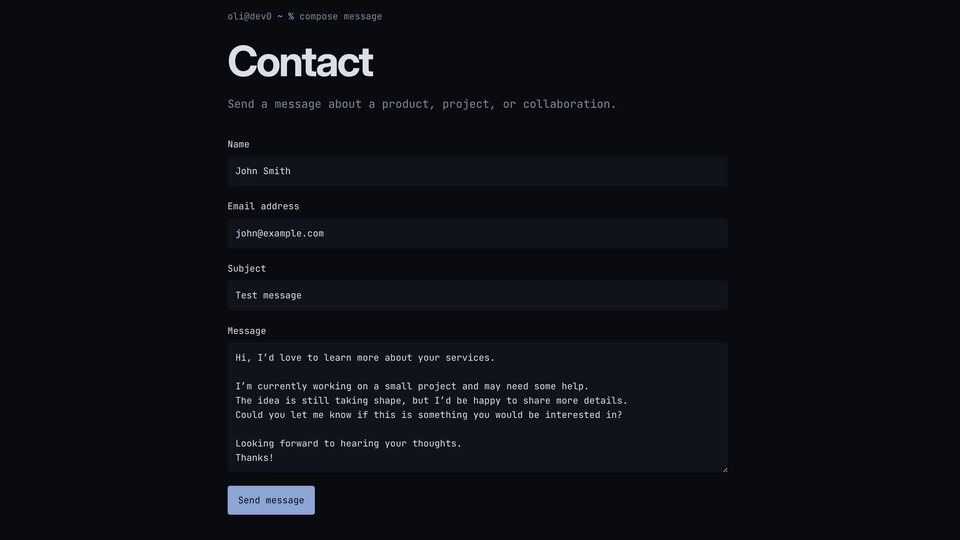
This is a small, practical contact form for Django projects. It gives visitors a clear way to get in touch, while giving the site owner one place to review incoming messages.
The form works without JavaScript, so it stays usable on a wide range of devices and browsers. Visitors fill in four fields. Behind the scenes, the form adds a few quiet checks to reduce spam:
- A signed timing token helps detect forms that were copied or submitted in an unusual way.
- A honeypot is an extra field that real visitors never need to see or fill in. Basic bots often complete every field they find, so a hidden field with a value is a useful sign that the submission should be rejected. The form responds neutrally and does not tell the bot which check it triggered.
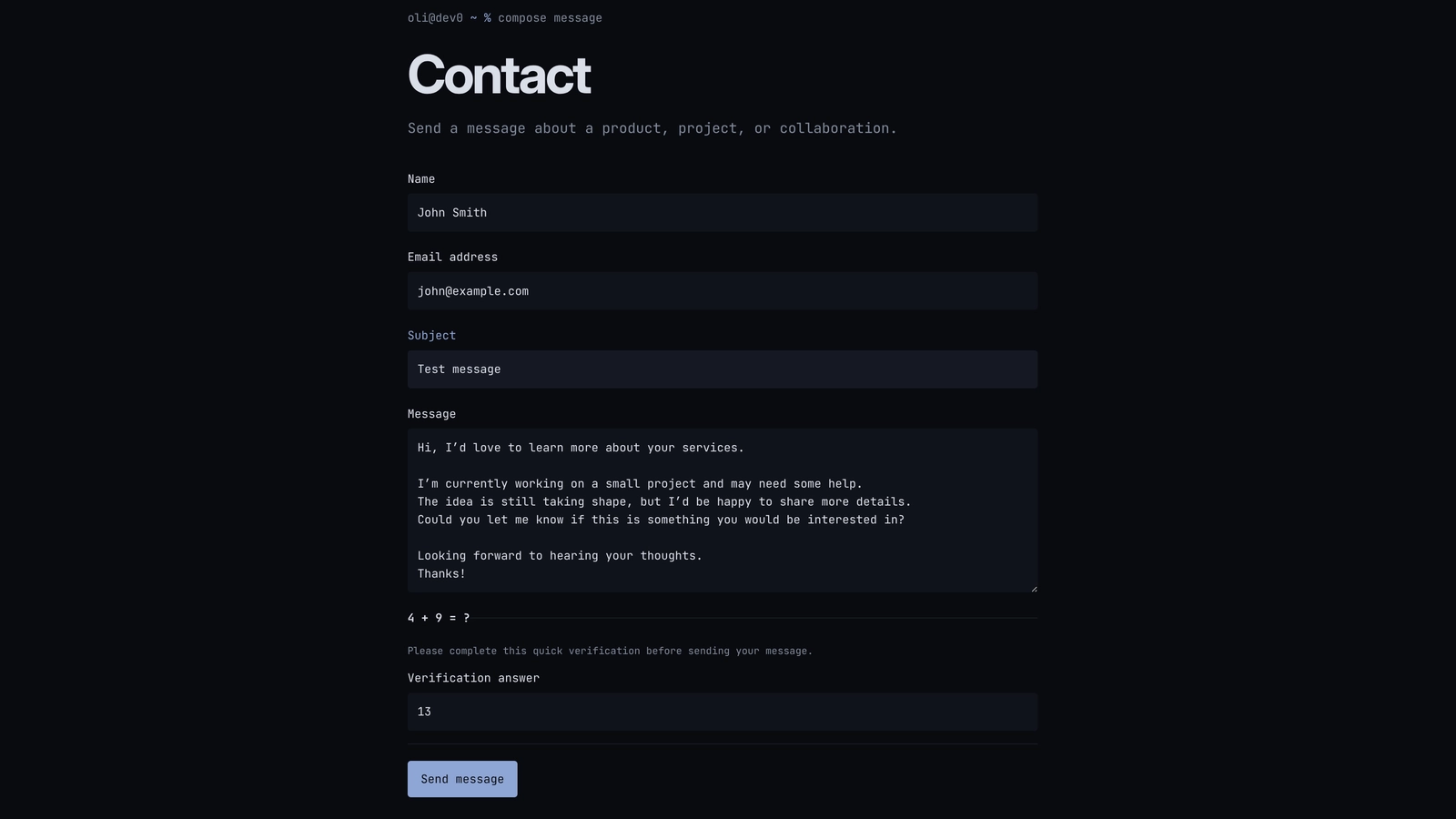
- A small arithmetic check can appear when more help is needed. It is easy for a person to answer, but adds another simple obstacle for automated scripts.
- Throttling limits repeated attempts from the same source, which helps stop a bot from sending a large number of messages in a short time.
These checks are not meant to be a perfect anti-spam system. They are small, understandable protections that keep a normal contact form useful without adding a CAPTCHA or a complicated service.
Once a message passes the checks, it is saved as a ContactMessage record before the email notification is attempted. That order matters: if email delivery has a problem, the message still remains in the Admin inbox instead of disappearing.
A useful boundary
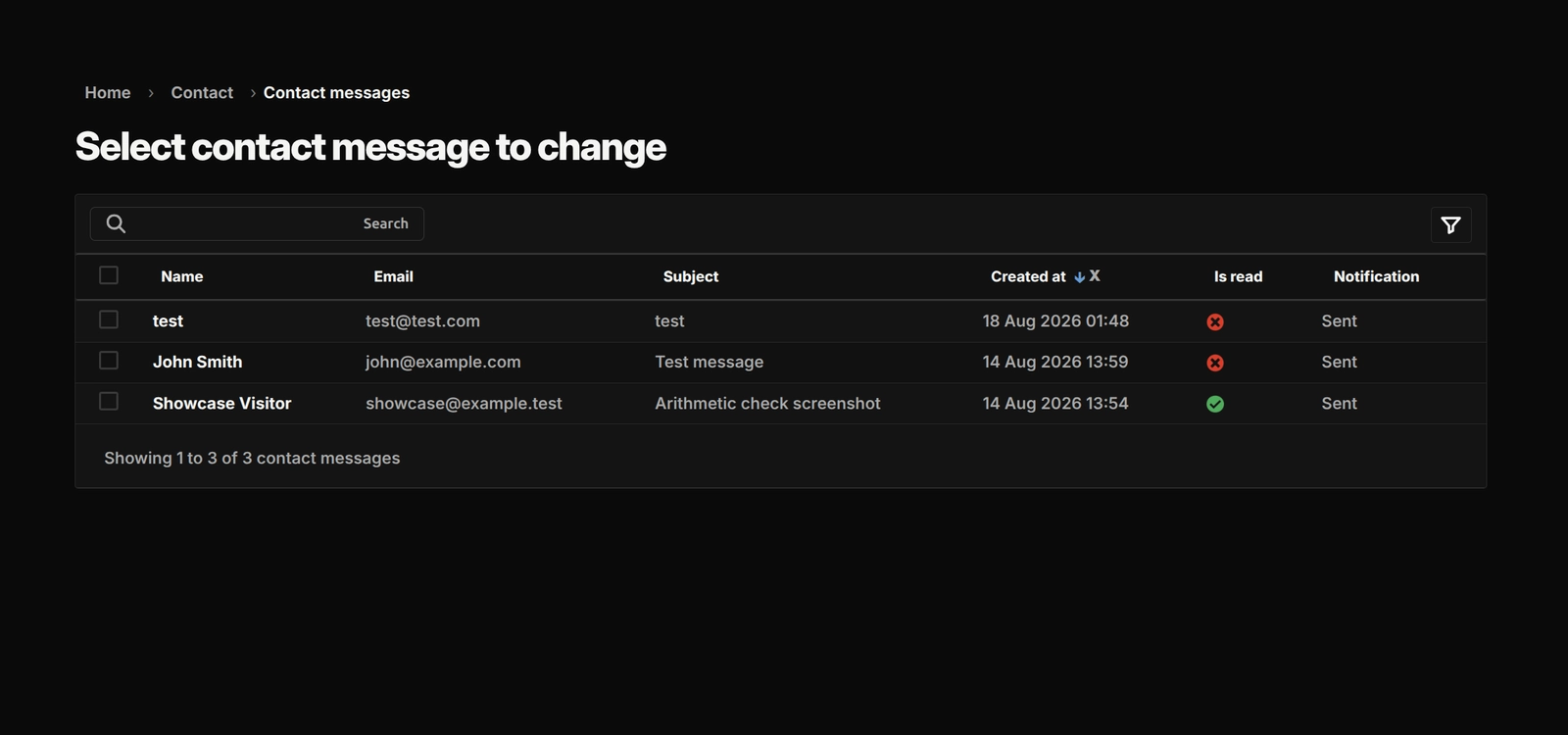
The app keeps the product small. Django Admin gives the owner a read-only inbox with unread filtering, search, newest-first ordering, and notification status. django-post-office sends a plain-text notification to the configured owner, while the visitor’s email address is kept as Reply-To so the owner can reply directly.
The repository includes a default template that can be replaced, responsive dark and light styling, and a small browser enhancement that helps prevent accidental repeat submissions. Focused tests cover the form, spam checks, saving messages, notifications, Admin, and the main pages.
It deliberately leaves each project in control of its own settings, deployment, message-retention rules, and any future CRM or API connection.
Django Contact Form gallery
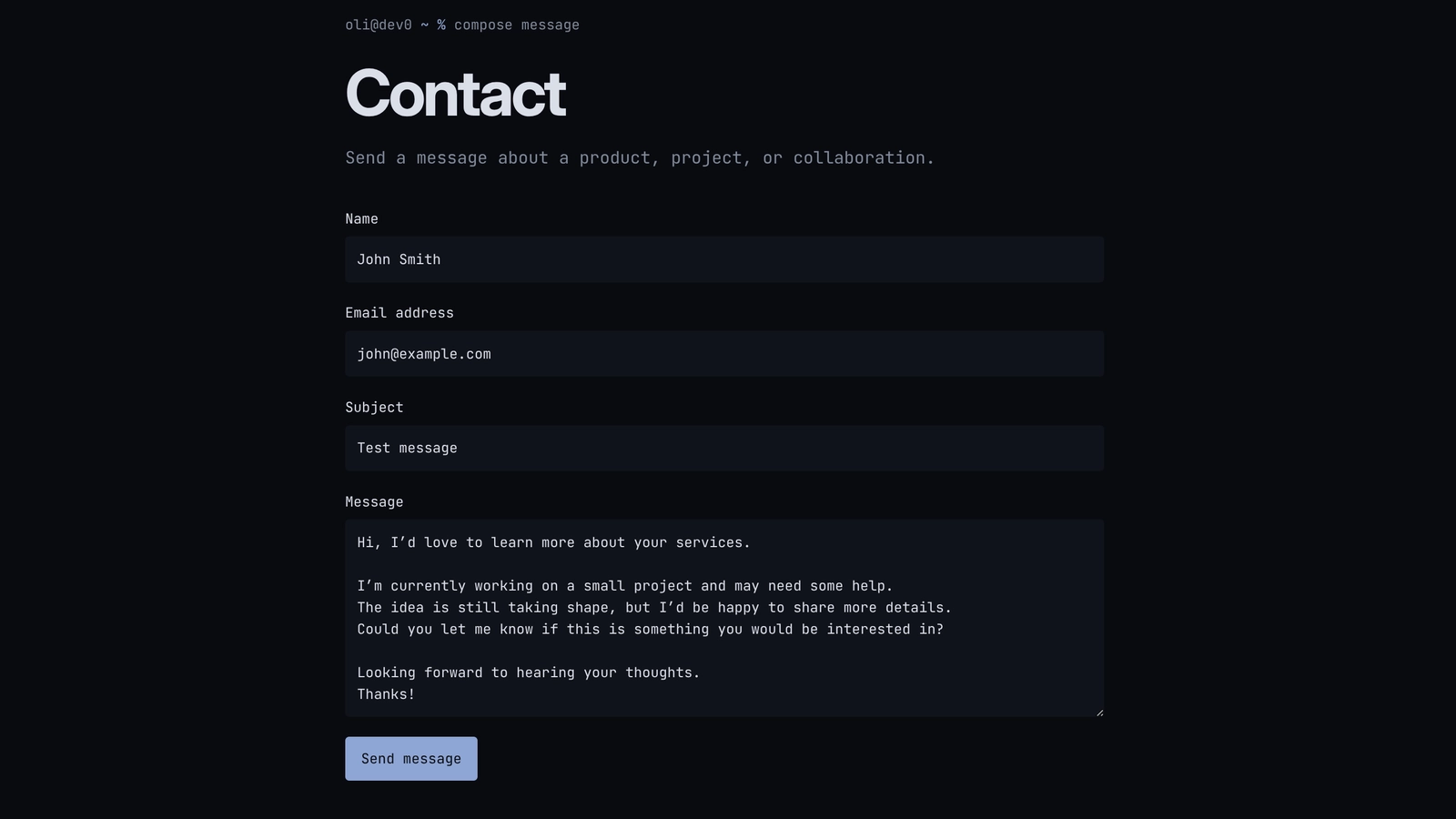
The contact flow from a visitor’s first message to the owner’s review queue, with the small safeguards that keep the feature practical to operate.
Open gallery 3 images
Project information
- Category
- Features
Built with
- Python
- Django
- HTML5
- CSS3
- JavaScript




View full feature list
Visitor experience
- A simple form for a visitor’s name, email address, subject, and message.
- A normal Django page that works even when JavaScript is turned off.
- Clear labels, helpful field errors, and a summary that points people to the fields that need attention.
- A success message after the form is accepted.
- A narrow, responsive layout with dark and light colour-scheme support.
- A small script that disables the send button while a valid submission is being sent and restores it when returning through browser history.
Abuse checks
- A hidden honeypot field that quietly rejects many simple automated submissions without revealing which check was triggered.
- A signed form token that helps check whether the form is genuine and was not submitted too quickly.
- A short arithmetic question when the form needs extra confirmation.
- Expiring, signed challenge answers tied to the form that asked the question.
- Submission limits based on a hashed client address and normalised email address.
- No raw client IP address stored in the database.
- A replay check that stops one accepted form from creating duplicate messages.
- Careful handling of forwarded client addresses when the consuming project is behind a trusted proxy.
Message handling
- Accepted messages are saved as
ContactMessagerecords for owner review. - Messages are kept newest first, with an unread/read state.
- A database-level duplicate check protects against two requests accepting the same form at the same time.
- Database errors return a neutral temporary-failure message instead of exposing internal details.
- Contact pages and responses are marked as private and not stored in browser caches.
Email notifications
- One notification is sent to the configured owner address.
- A fixed sender address keeps the notification setup predictable.
- The visitor’s validated email is included as
Reply-To, making it easy to answer the message. - Notifications use a plain-text message with the visitor’s name, email, subject, and message.
- Delivery happens after the contact message has been saved, so an email problem does not remove the owner’s copy.
- Delivery states such as sent, queued, failed, or not queued remain visible in Admin.
- Notification errors are contained and logged without putting the visitor’s message into the log.
Django Admin
- Submitted content can be read but not manually edited.
- Staff can mark a message as read.
- Unread filtering, search, and newest-first ordering make the inbox practical to use.
- Notification status is shown alongside each message.
- An optional helper can provide an unread-message reminder in a custom Admin dashboard.
Integration and maintenance
- One named URL can be mounted wherever the consuming Django project needs its contact page.
- The default page and static files can be kept, overridden, or replaced by the consuming project.
- The app uses Django’s normal forms, templates, database, CSRF protection, signing, messages, and Admin features.
- Focused tests cover the form, abuse checks, database model, notification service, views, and Admin behavior.
- The package stays deliberately focused: it does not add visitor accounts, a public API, a CRM, multiple recipients, or a separate background worker.